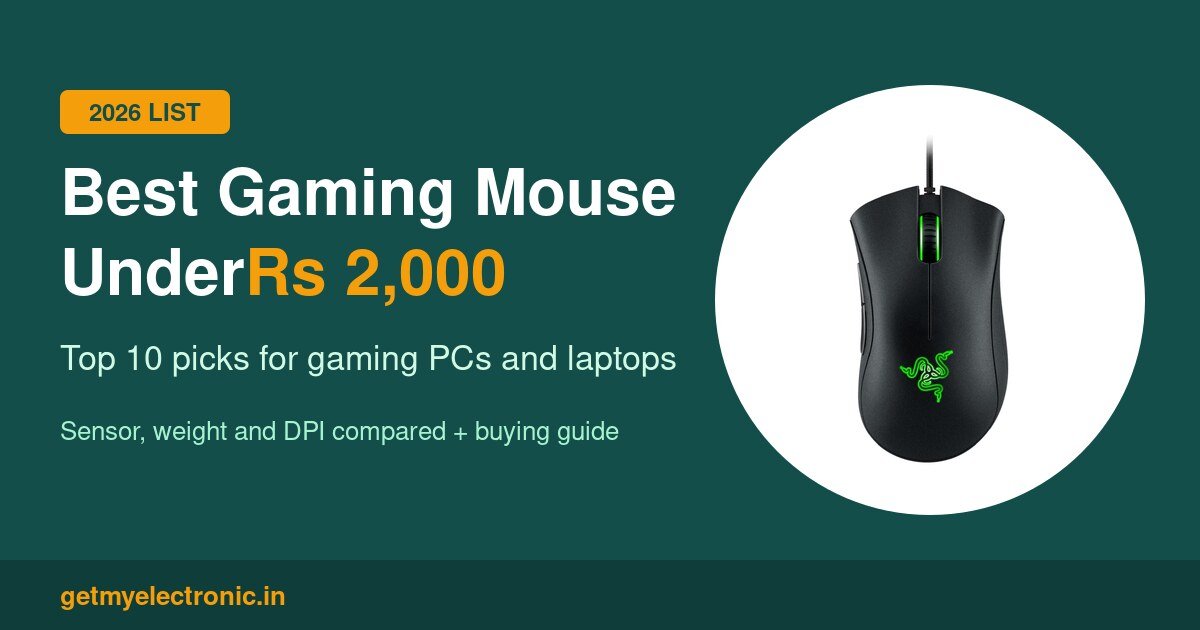
UPDATED OCTOBER 2026 | 10 GAMING MICE | FOR GAMING PCS AND LAPTOPS
Best Gaming Mouse Under 2000 in India - Top 10
A good gaming mouse is the cheapest upgrade that makes a real difference in games. Moving from a basic office mouse to a proper gaming mouse gives you a more accurate sensor, faster clicks, extra buttons you can program and a shape made for long sessions. The good news is that you do not need to spend Rs 5,000. Between Rs 1,000 and Rs 2,000 you can buy mice from Razer, Logitech, HyperX, SteelSeries, ASUS and Corsair, plus strong Indian brands like Kreo and Cosmic Byte.
We picked these 10 for both custom-built gaming PCs and gaming laptops, and ranked them with the mice that have the most positive reviews from Indian buyers first. Every pick was new and in stock on Amazon India when we checked on 31 October 2026.
Quick Answer: Which Is the Best Gaming Mouse Under 2000?
The Razer DeathAdder Essential is the best gaming mouse under 2000 in India. At about Rs 1,299 it has a comfortable ergonomic shape, a 6,400 DPI optical sensor and switches rated for 10 million clicks. For the most accurate sensor at the lowest price, the HyperX Pulsefire Core (PixArt 3327) costs about Rs 1,099 to 1,249. For a wireless mouse for your gaming laptop, the Kreo Chimera V2 costs about Rs 1,899.
- Best overall: Razer DeathAdder Essential (about Rs 1,299)
- Best sensor for the money: HyperX Pulsefire Core (about Rs 1,099 to 1,249)
- Best for beginners: Logitech G102 Lightsync (about Rs 1,135 to 1,395)
- Most buttons for MOBA and MMO: Redragon M612 Predator (about Rs 1,130)
- Lightest: SteelSeries Aerox 3, 57 g
- Best budget lightweight: Cosmic Byte Firestorm, 67 g (about Rs 1,000)
- Best for FPS and consoles: Corsair Harpoon RGB Pro (about Rs 1,446)
- Best wireless: Kreo Chimera V2 (about Rs 1,899)
Our Top 3 Picks at a Glance
BEST OVERALL
Razer DeathAdder Essential
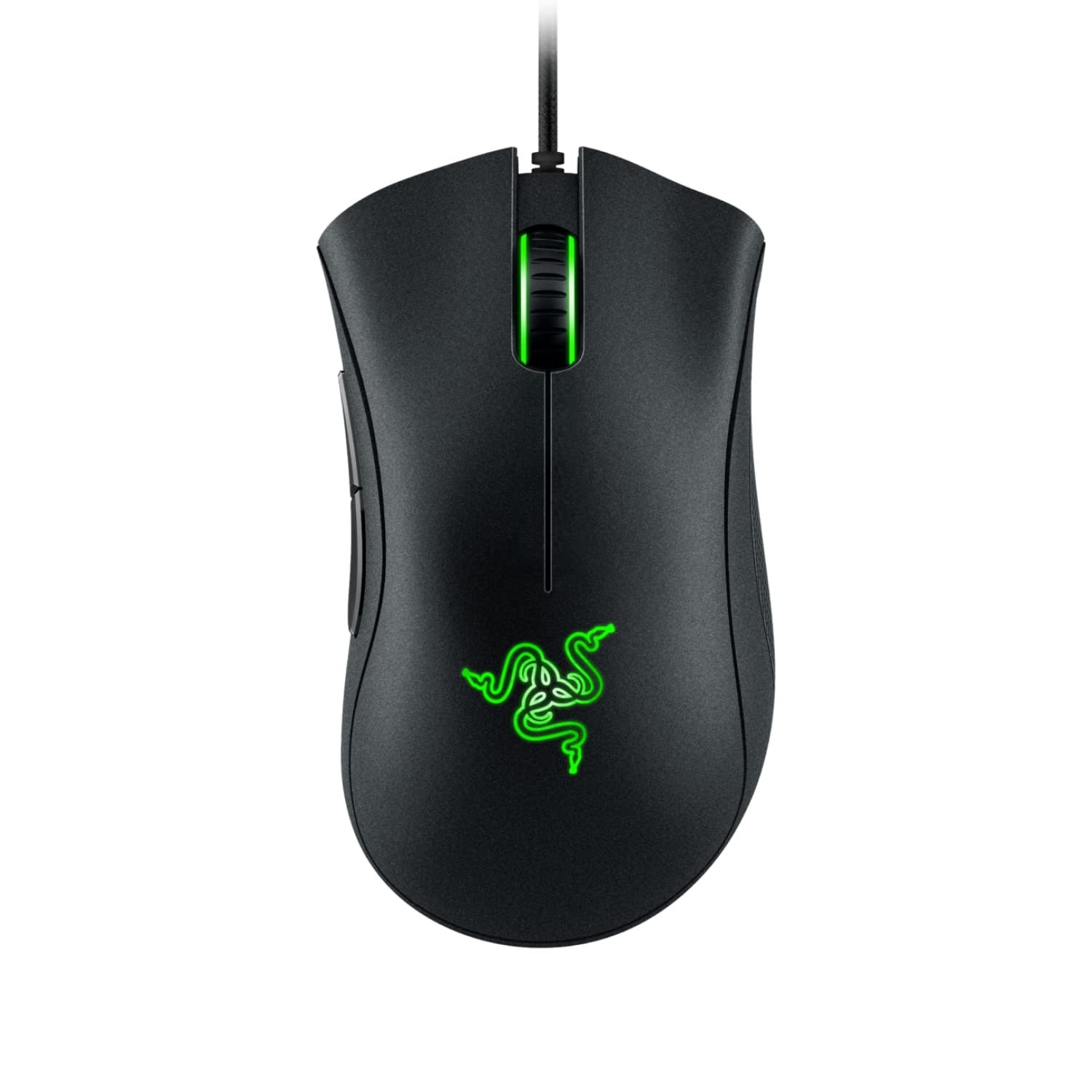
Comfortable ergonomic shape, 6,400 DPI sensor and 10M-click switches for about Rs 1,299.
BEST SENSOR
HyperX Pulsefire Core RGB
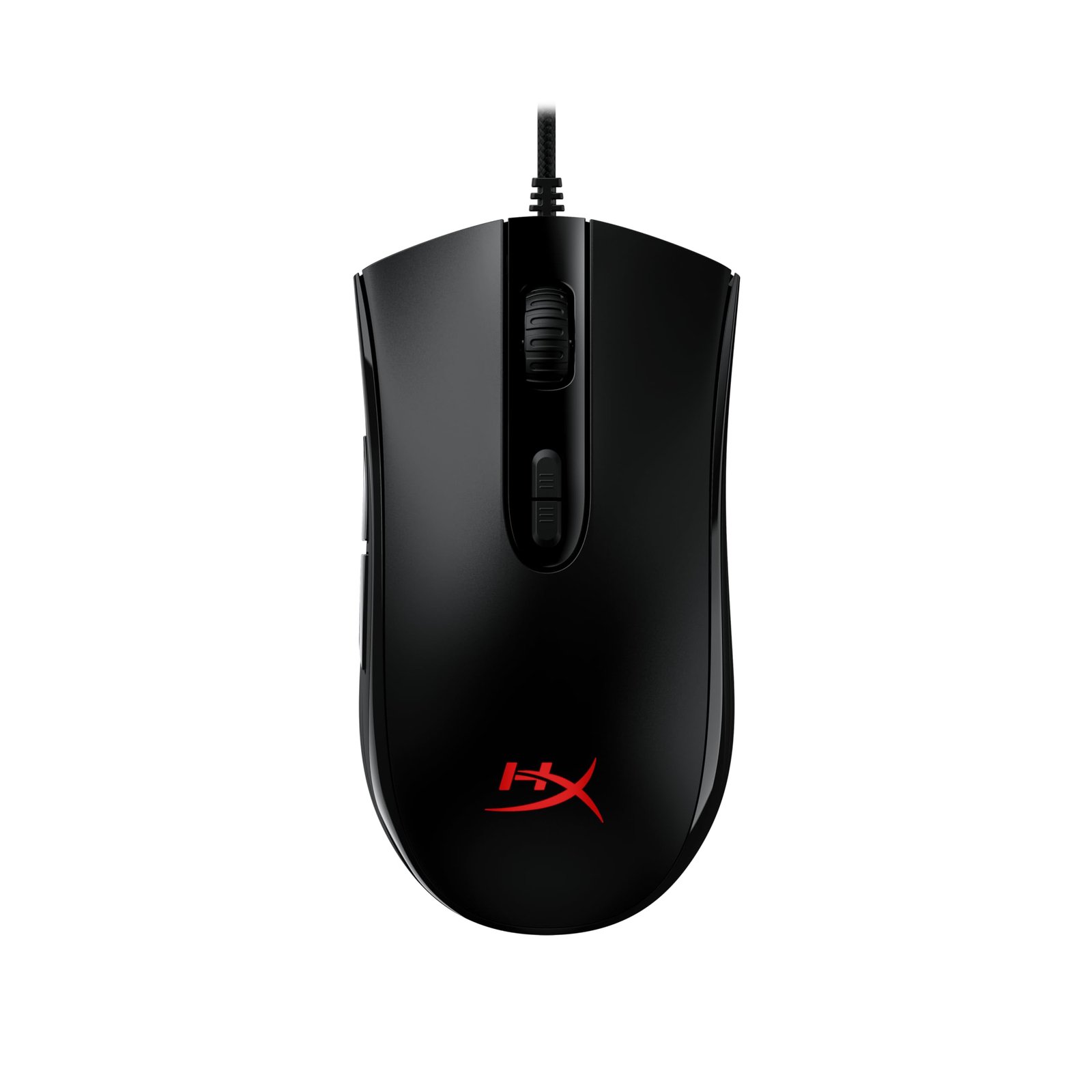
PixArt 3327 sensor, 87 g, 7 buttons and a 2-year warranty for about Rs 1,099 to 1,249.
BEST WIRELESS
Kreo Chimera V2
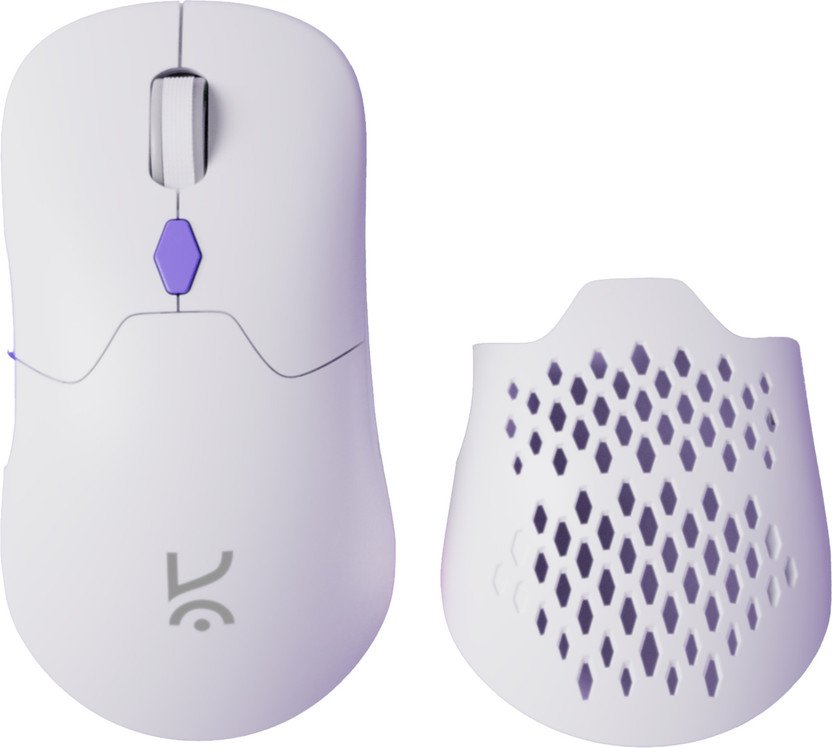
2.4 GHz, Bluetooth and wired, PixArt 3311 and swappable switches for about Rs 1,899.
Disclosure: some links on this page are affiliate links. If you buy through them, Getmyelectronic may earn a small commission at no extra cost to you. Prices and stock change often, so always check the latest details on the store.
Want to know how we choose these products? Read How We Test to see how we check, test and rank every pick.
Gaming Mice Under 2000: Side-by-Side Comparison
Swipe sideways on mobile to see every column.
| # | Mouse | Sensor / DPI | Weight | Connection | Buttons | Price (approx.) | Best for | Buy |
|---|---|---|---|---|---|---|---|---|
|
1 |
Razer DeathAdder Essential |
6,400 DPI optical |
96 g |
Wired USB |
5 |
About Rs 1,299 |
Palm grip, long sessions |
|
|
2 |
HyperX Pulsefire Core RGB |
PixArt PAW3327, 6,200 DPI |
87 g |
Wired USB (braided) |
7 |
About Rs 1,099 to 1,249 |
FPS on a budget, 2-year warranty |
|
|
3 |
Logitech G102 Lightsync |
8,000 DPI optical |
85 g |
Wired USB |
6 |
About Rs 1,135 to 1,395 |
First gaming mouse, kids, all-rounder |
|
|
4 |
Redragon M612 Predator |
Optical, 500 to 8,000 DPI |
Heavier (brand lists about 145 g) |
Wired USB (braided) |
9 programmable |
About Rs 1,130 to 1,190 |
MOBA, MMO, macros |
|
|
5 |
SteelSeries Aerox 3 |
TrueMove Core, 8,500 CPI |
57 g |
Wired USB-C (detachable) |
6 |
Check latest price |
Fast FPS, low-sens players |
|
|
6 |
ASUS TUF Gaming M3 |
7,000 DPI optical |
84 g |
Wired USB |
7 |
Check latest price |
TUF laptop owners, claw/palm |
|
|
7 |
Cosmic Byte Firestorm |
PixArt PAW3327, 12,400 DPI |
67 g |
Wired USB (paracord) |
Programmable |
About Rs 956 to 1,049 |
Light FPS mouse at the lowest price |
|
|
8 |
ONIKUMA Wired Gaming Mouse |
Optical, 1,200 / 2,400 / 3,600 DPI |
Not listed |
Wired USB |
7 |
Check latest price |
Casual play, first RGB mouse |
|
|
9 |
Corsair Harpoon RGB Pro |
12,000 DPI optical |
85 g |
Wired USB |
6 |
About Rs 1,446 |
FPS/MOBA, PC plus PS5/Xbox |
|
|
10 |
Kreo Chimera V2 |
PixArt PAW3311, 12,000 DPI |
78 g |
2.4 GHz + Bluetooth + wired |
6 |
About Rs 1,899 |
Gaming laptops, wireless setups |
Prices are the discounted Amazon and Flipkart prices at the time of writing (31 October 2026) and can change at any time. Some mice go above Rs 2,000 when a sale ends, so check the price on the day you buy.
How We Picked the Best Gaming Mouse Under 2000
We looked only at new mice (no refurbished or open-box units) that were in stock on Amazon India on 31 October 2026 and cost about Rs 1,000 to Rs 2,000. We tested them with popular multiplayer games and modern AAA single-player games, on both a custom-built gaming PC and gaming laptops, and ranked them on:
- Sensor quality: a real gaming sensor with no acceleration matters more than a big DPI number
- Shape and comfort for palm, claw and fingertip grips over long sessions
- Weight, cable or wireless connection and how smoothly the mouse glides
- Click feel, switch rating and programmable buttons
- Software, onboard memory and warranty
- The number and quality of Amazon India reviews, and the price on the day
10 Best Gaming Mouse Under 2000: Detailed Reviews
BEST OVERALL UNDER 2000
1. Razer DeathAdder Essential (6,400 DPI, Wired, Right-Handed)
The Razer DeathAdder Essential is our top pick because its shape has stayed almost the same through many DeathAdder generations, and there is a reason for that: it simply fits most right hands. The tall back and the curve on the right side fill your palm, so your hand relaxes instead of gripping hard. That matters more than spec sheets when you play for three or four hours at a time.
Inside is a true 6,400 DPI optical sensor, which is plenty, because most players use 400 to 1,600 DPI anyway. The Razer mechanical switches are rated for 10 million clicks, the two side buttons sit exactly where your thumb rests, and the ridged rubber scroll wheel gives clear steps when you switch weapons. At 96 g it is not a light mouse, so fast flick players may prefer the Aerox 3 or Firestorm below. The lighting is a single green colour, not full RGB.
Key Specifications
- Sensor: optical, up to 6,400 DPI
- Buttons: 5 programmable (Hyperesponse)
- Switches: Razer mechanical, 10 million clicks
- Weight: 96 g
- Shape: right-handed ergonomic
- Polling rate: 1000 Hz
- Cable: 1.8 m rubber
- Software: Razer Synapse
Pros
- Comfortable shape for palm grip
- Trusted sensor with no acceleration
- Thumb buttons are easy to reach
- Huge Amazon review base
Cons
- 96 g is heavy for fast FPS flicks
- Single-colour lighting
- Right-handed only
Best for: Most gamers with medium to large hands who play long sessions on a PC or laptop.
Not for: Left-handed players and anyone who wants a very light mouse.
Price: About Rs 1,299 on Amazon (31 October 2026).
BEST SENSOR FOR THE MONEY
2. HyperX Pulsefire Core RGB (PixArt 3327, 6,200 DPI, 7 Buttons)
The HyperX Pulsefire Core gives you a proper gaming sensor, the PixArt PAW3327, at one of the lowest prices of any big-brand mouse. The 3327 tracks one-to-one with no hardware acceleration, which means the crosshair moves exactly as far as your hand does. That is what you want in Valorant, CS2 or Apex Legends.
The symmetrical shape works for palm and claw grips, the textured side grips stop your thumb from slipping, and at 87 g it is lighter than the DeathAdder. You get seven programmable buttons, RGB lighting and onboard memory, so your DPI and macros stay saved even on a friend’s PC. HyperX lists a 24-month warranty on the Amazon listing, longer than most mice at this price.
Key Specifications
- Sensor: PixArt PAW3327, native DPI up to 6,200
- Buttons: 7 programmable
- Switches: rated for 20 million clicks (per listing)
- Weight: 87 g
- Shape: symmetrical, right-hand side buttons
- Polling rate: 1000 Hz
- Cable: braided
- Software: HyperX NGENUITY, onboard memory
- Warranty: 24 months (per listing)
Pros
- Accurate PAW3327 sensor
- Light for a budget wired mouse
- Onboard memory saves settings
- 2-year warranty
Cons
- Plain looks
- Side buttons are on the left only
Best for: FPS players who want an accurate sensor and a long warranty for the lowest price.
Not for: Players with very large hands who want a tall, curved shape.
Price: About Rs 1,099 to Rs 1,249 (31 October 2026).
BEST FOR BEGINNERS
3. Logitech G102 Lightsync (8,000 DPI, RGB, 6 Buttons)
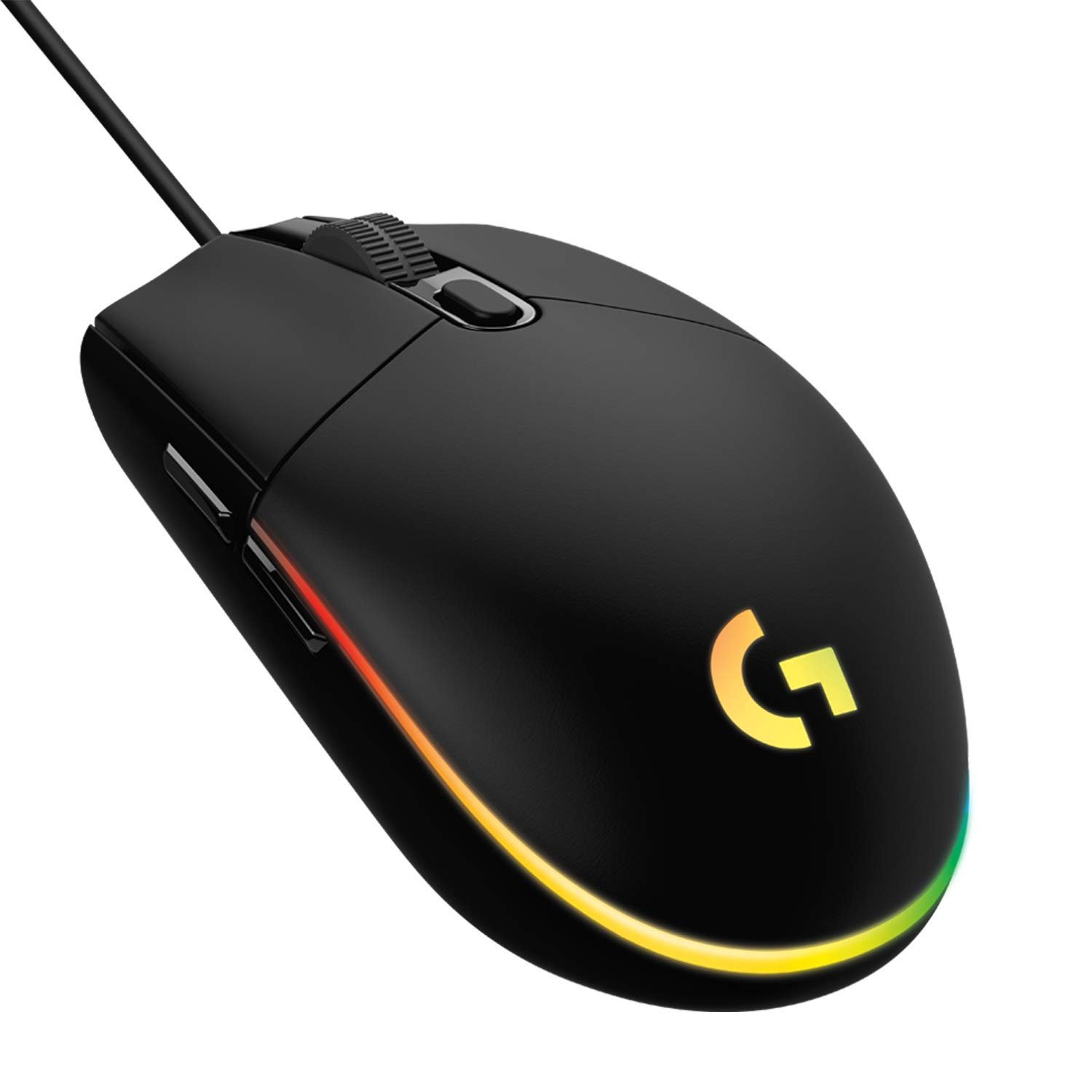
The Logitech G102 Lightsync is probably the most bought gaming mouse in India, and it earns that by doing everything well. The classic six-button shape is small and simple, so it suits teenagers, smaller hands and anyone moving up from an office mouse. At 85 g it slides easily, and the mechanical spring button tensioning gives every click a crisp, even feel.
The sensor goes up to 8,000 DPI and Logitech G HUB lets you set up to five DPI steps, remap buttons and play with the bright Lightsync RGB strip. It also works with Windows, macOS and Chrome OS, so it is a safe choice for a family laptop that gets used for both school and games.
Key Specifications
- Sensor: optical, 200 to 8,000 DPI
- Buttons: 6 programmable
- Switches: mechanical with metal spring tensioning
- Weight: 85 g
- Shape: classic, ambidextrous body (side buttons on left)
- Polling rate: 1000 Hz
- Lighting: Lightsync RGB, 16.8 million colours
- Software: Logitech G HUB, works on Windows, macOS, Chrome OS
Pros
- Comfortable, simple shape
- Crisp, consistent clicks
- Great software and RGB
- Very easy to find in stock
Cons
- Small for large hands
- Rubber cable, not braided
- Scroll wheel can wear over years of heavy use
Best for: First-time buyers, students and families who want a reliable brand mouse.
Not for: Players with large hands who need a bigger palm rest.
Price: About Rs 1,195 to Rs 1,395 on Amazon, about Rs 1,135 on Flipkart (31 October 2026).
MOST BUTTONS FOR MOBA AND MMO
4. Redragon M612 Predator RGB (8,000 DPI, 9 Programmable Buttons)
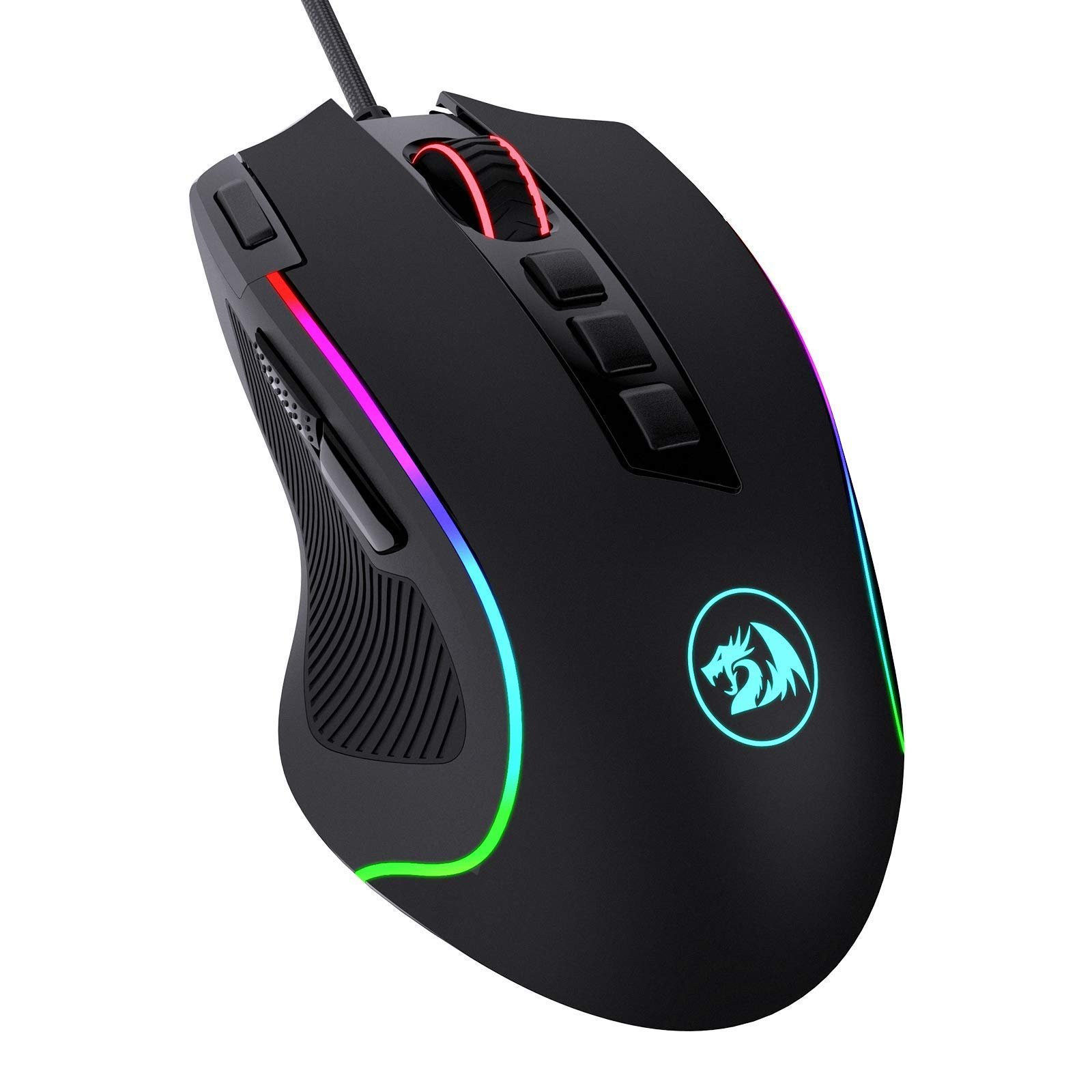
The Redragon M612 Predator is the pick for players who want more buttons than a basic mouse. All nine buttons can be reassigned, and two of them are side macro keys plus a dedicated rapid-fire button. Bind skills, ping wheels, push-to-talk or build macros in MOBA and MMO games, or map copy, paste and undo for work.
Five DPI levels (500, 1,000, 2,000, 3,000 and 4,000 by default) can be changed in software up to 8,000 DPI. The frosted coating resists fingerprints, the rubber texture on the left side improves grip, and the RGB lighting has five modes. It is a heavier mouse, which some MOBA and strategy players like because it feels steady.
Key Specifications
- Sensor: optical, 5 DPI levels, adjustable 500 to 8,000 DPI in software
- Buttons: 9 programmable, incl. rapid fire and 2 side macro keys
- Weight: heavier than most picks (brand lists about 145 g)
- Shape: right-handed ergonomic with thumb rest
- Lighting: RGB, 5 modes
- Cable: braided
- Software: Redragon driver for Windows
Pros
- Lots of programmable buttons
- Rapid-fire key
- Grippy, fingerprint-free coating
- Very low price
Cons
- Heavy for FPS
- Software is basic
- Not for left-handed players
Best for: MOBA, MMO and strategy players and anyone who wants macro keys for work.
Not for: Competitive FPS players who flick a lot.
Price: About Rs 1,130 to Rs 1,190 (31 October 2026).
LIGHTEST PICK (57 G)
5. SteelSeries Aerox 3 (TrueMove Core, 57 g, IP54, USB-C)
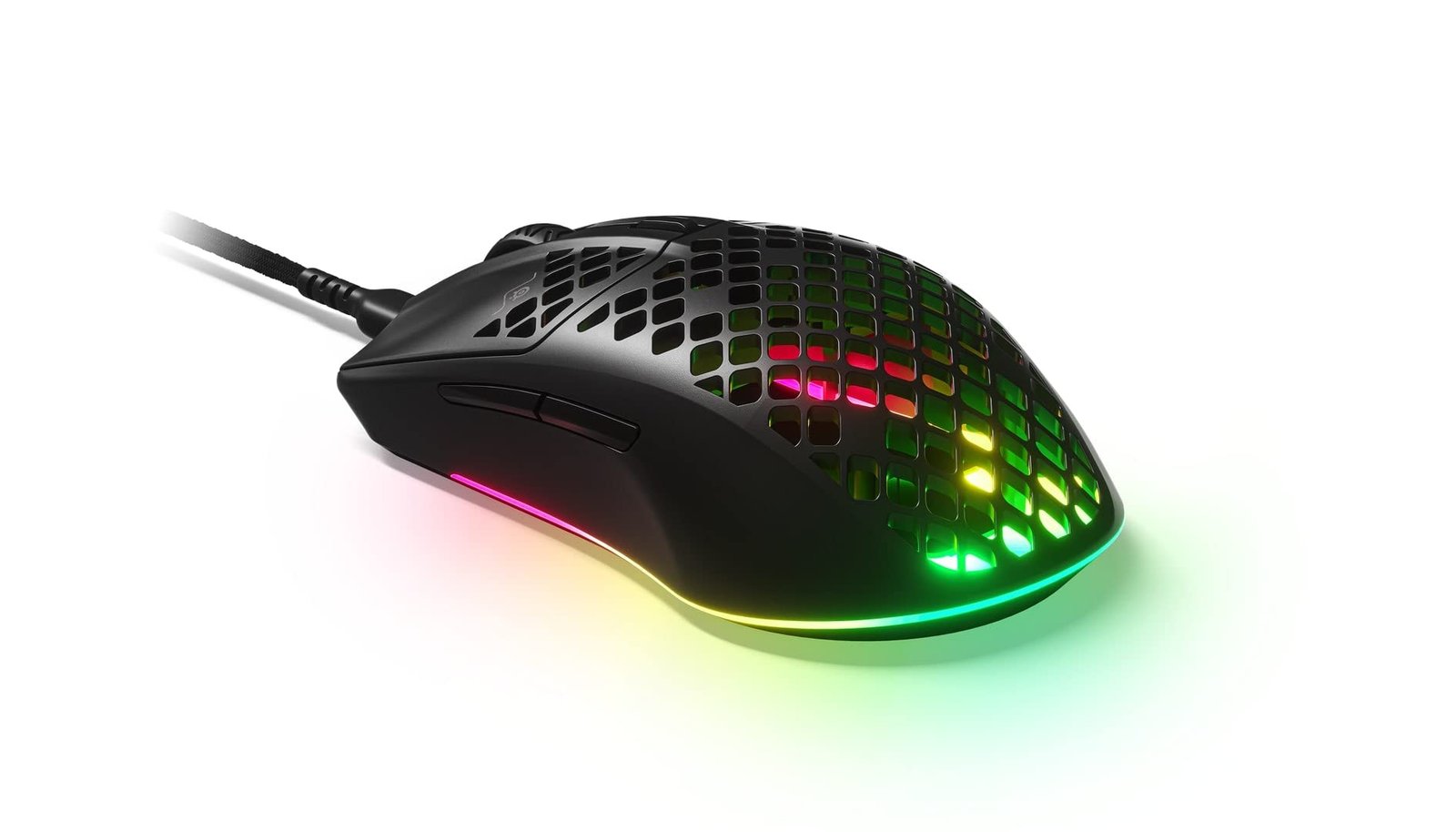
The SteelSeries Aerox 3 is the lightest mouse in this list at just 57 g. Light mice are easier to flick, stop and lift, which helps a lot in fast shooters where you swing your arm across the mousepad. The holes in the shell keep the weight down, and SteelSeries made it the first gaming mouse with an IP54 rating, so dust, oil and a small splash will not get inside.
The TrueMove Core sensor was co-developed with PixArt and offers 8,500 CPI, 300 IPS and 35G, with true one-to-one tracking. The soft SuperMesh USB-C cable barely drags and can be swapped out, and there is three-zone RGB lighting you can set in SteelSeries GG. The price on this model moves more than the others, so check it before you buy.
Key Specifications
- Sensor: SteelSeries TrueMove Core, 8,500 CPI, 300 IPS, 35G
- Buttons: 6
- Weight: 57 g
- Build: honeycomb shell, IP54 water and dust resistance
- Cable: detachable USB-C SuperMesh
- Lighting: 3-zone RGB
- Software: SteelSeries GG (Engine)
Pros
- Lightest pick by far
- IP54 dust and water resistance
- Soft detachable USB-C cable
- Good for both claw and fingertip grips
Cons
- Holes in the shell are not for everyone
- Price changes often
- Smaller shape for very large hands
Best for: Valorant, CS2 and Apex players who use low sensitivity and big arm movements.
Not for: Players who like a heavy, steady mouse.
Price: Price changes often; check the latest price on Amazon (31 October 2026).
BEST FOR ASUS TUF SETUPS
6. ASUS TUF Gaming M3 (7,000 DPI, 7 Buttons, Aura Sync RGB)
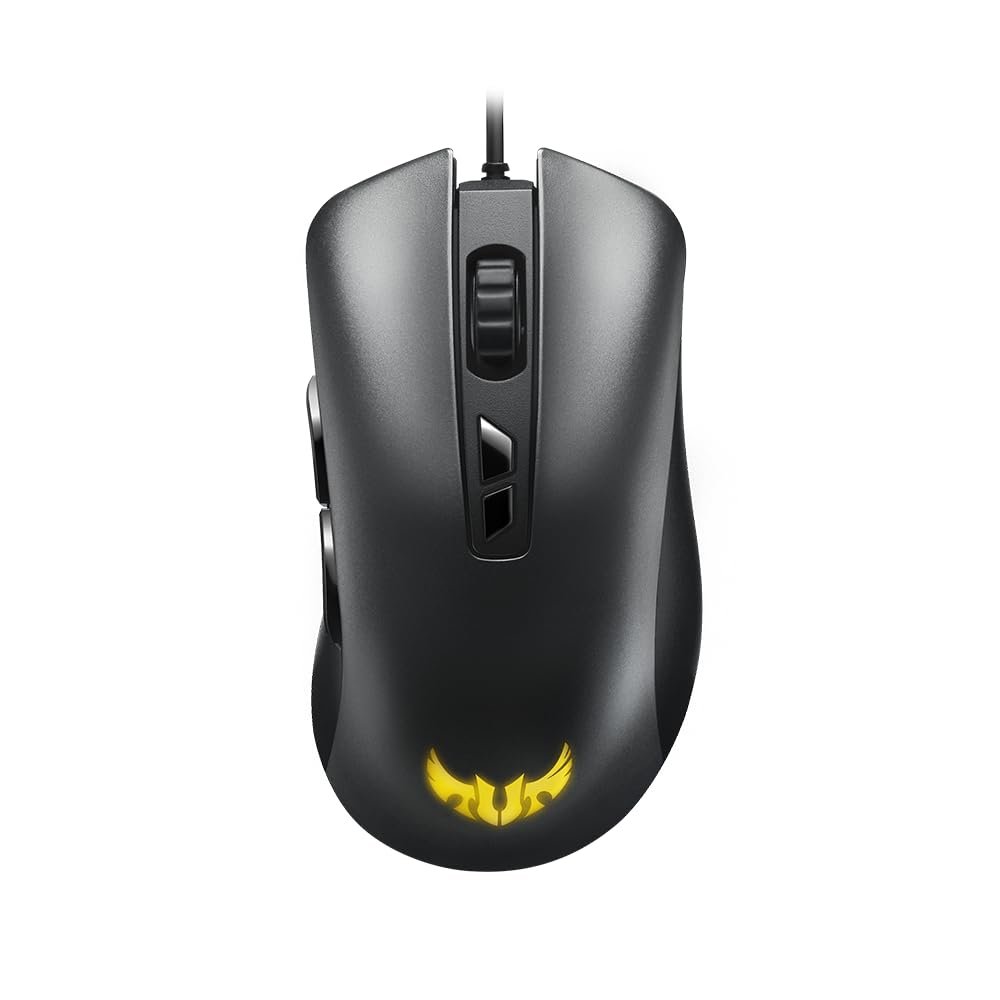
The ASUS TUF Gaming M3 is a light, right-handed mouse made for claw and palm grips. It has a 7,000 DPI optical sensor with 100 IPS and 20G acceleration, which is fine for 1080p gaming, and a four-level DPI switch on top so you can change speed in the middle of a game.
All seven buttons are programmable in ASUS Armoury software, and the Aura Sync RGB lighting can match other TUF Gaming gear. If you own an ASUS TUF gaming laptop, this mouse matches its look and lighting. The 100 IPS tracking speed is lower than the PixArt 3327 mice in this list, so very fast arm swings on low sensitivity can lose track.
Key Specifications
- Sensor: optical, 7,000 DPI, 100 IPS, 20G
- Buttons: 7 programmable, 4-level DPI switch
- Weight: about 84 g
- Shape: right-handed, for claw or palm grip
- Lighting: Aura Sync RGB
- Software: ASUS Armoury II
Pros
- Light and comfortable
- On-the-fly DPI button
- Aura Sync matches ASUS TUF laptops
- Programmable buttons
Cons
- 100 IPS tracking is lower than rivals
- Price varies a lot between sellers
Best for: ASUS TUF laptop owners and players with a claw grip.
Not for: Low-sensitivity FPS players who make very fast swipes.
Price: Price changes often; check the latest price on Amazon (31 October 2026).
BEST BUDGET LIGHTWEIGHT
7. Cosmic Byte Firestorm RGB (PixArt 3327, 12,400 DPI, 67 g)
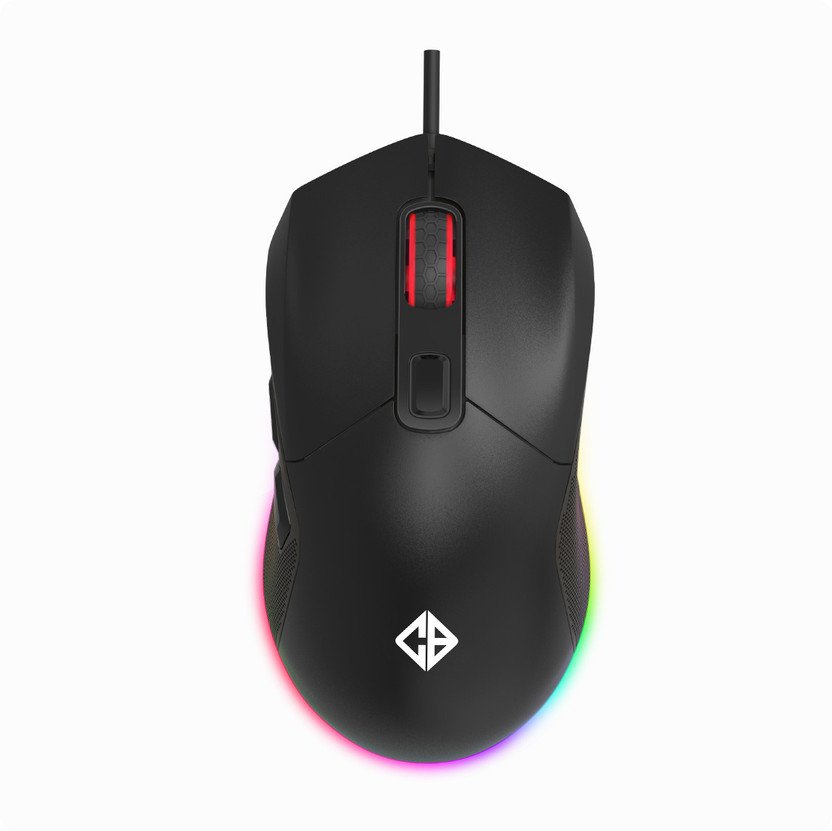
The Cosmic Byte Firestorm, from an Indian brand, gives you a lightweight FPS mouse at about Rs 1,000. It uses the same PixArt 3327 sensor as the HyperX Pulsefire Core, supports up to 12,400 DPI and runs at 1000 Hz. The honeycomb shell brings it down to 67 g, and a plain cover is included if you do not like the holes.
Two details usually found on more expensive mice are here too: a paracord cable, which is so light and soft it feels almost wireless, and PTFE feet that glide smoothly. The Huano switches are rated for 10 million clicks, and the software handles macros, RGB and DPI on Windows.
Key Specifications
- Sensor: PixArt PAW3327, up to 12,400 DPI
- Polling rate: 1000 Hz
- Weight: 67 g (honeycomb shell), plain cover included
- Switches: Huano, 10 million clicks
- Cable: paracord
- Feet: PTFE
- Lighting: RGB
- Software: Cosmic Byte software for Windows
Pros
- Light 67 g build
- Paracord cable and PTFE feet
- Real gaming sensor at about Rs 1,000
- Spare plain shell
Cons
- Lesser-known brand for service
- Software is Windows only
Best for: FPS players who want a light mouse and the lowest price.
Not for: Buyers who want a big-brand service network.
Price: About Rs 956 to Rs 1,049 (31 October 2026).
CHEAPEST RGB PICK
8. ONIKUMA Wired RGB Gaming Mouse (7 Keys, Up to 3,600 DPI)
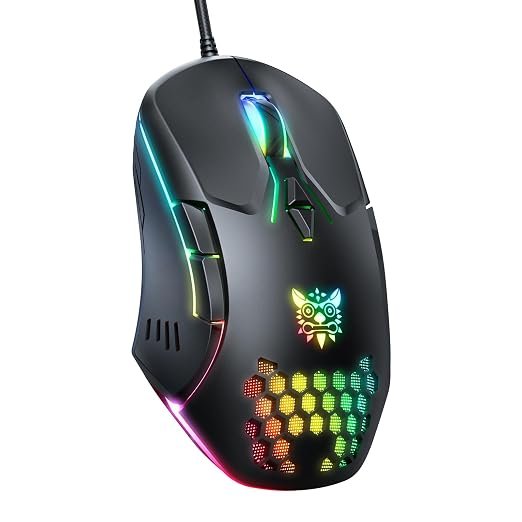
The ONIKUMA wired gaming mouse is the simple, low-cost option in this list. It has seven keys, including two thumb buttons with a non-slip texture, and DPI steps of 1,200, 2,400 and 3,600 that you change with the DPI buttons on top. The RGB lighting wraps around the body, and if it gets distracting you can hold the button for three seconds to switch to a low-light mode.
It is plug and play on Windows, macOS and Linux, so it works with any laptop or PC without software. Keep your expectations right, though: this is a casual gaming mouse. For serious FPS play, the HyperX, Cosmic Byte and SteelSeries picks have better sensors. Note that DPI goes back to 1,200 every time you restart the PC.
Key Specifications
- Sensor: optical, DPI 1,200 / 2,400 / 3,600
- Buttons: 7 (2 thumb buttons)
- Switches: rated for 20 million clicks (brand claim)
- Lighting: RGB with low-light mode
- Compatibility: plug and play, Windows, macOS, Linux
- Weight: not listed
Pros
- Very low price
- Plug and play, no software needed
- RGB with a low-light mode
Cons
- DPI resets to 1,200 after restart
- Basic sensor for competitive FPS
- Lesser-known brand
Best for: Casual gamers, kids and anyone who wants an RGB mouse for the least money.
Not for: Competitive FPS players.
Price: Price changes often; check the latest price on Amazon (31 October 2026).
BEST FOR FPS AND CONSOLES
9. Corsair Harpoon RGB Pro (12,000 DPI, 85 g, 6 Buttons)
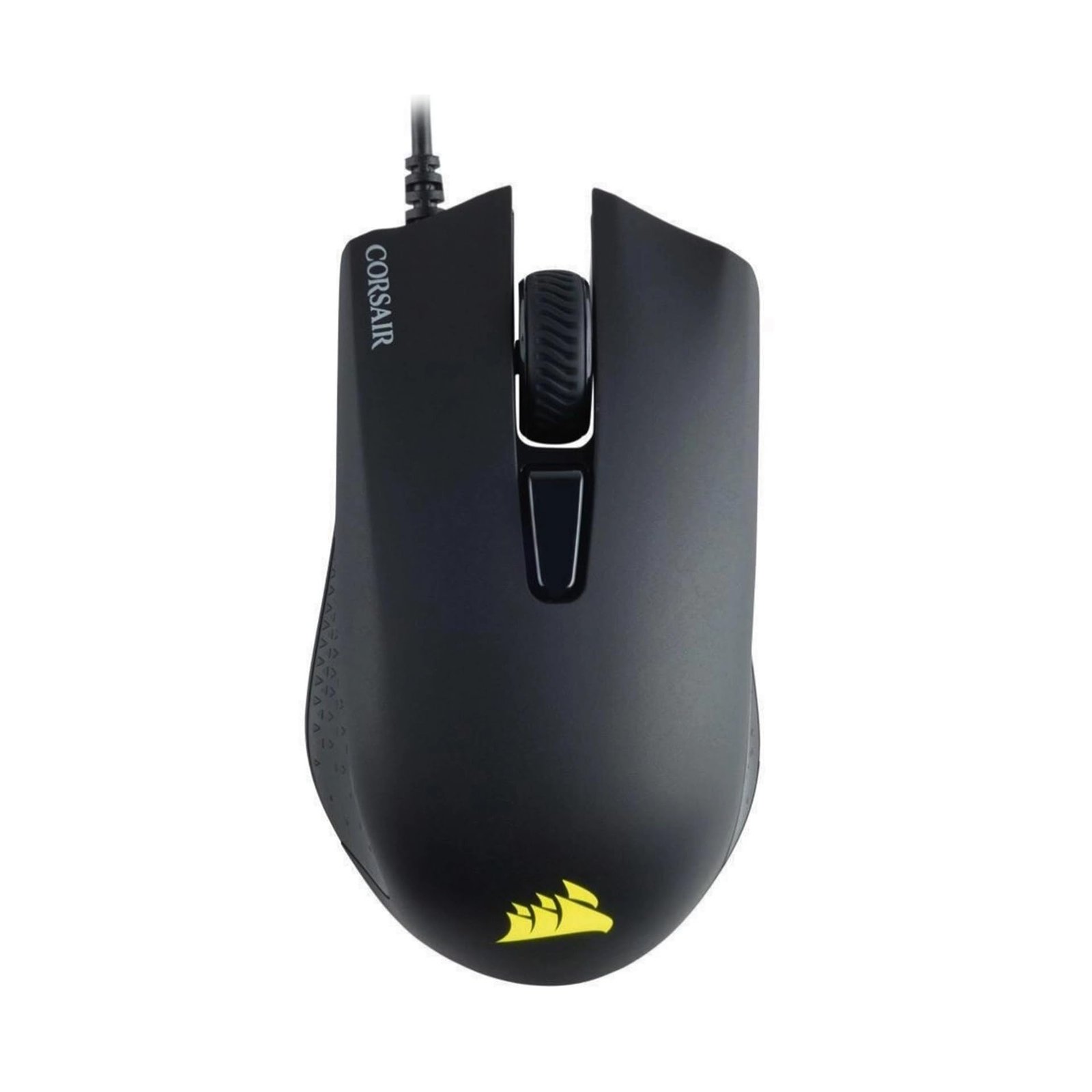
The Corsair Harpoon RGB Pro is a small, light mouse built for FPS and MOBA games. At 85 g with a low, contoured shape and rubber side grips, it suits claw and fingertip grips best. The 12,000 DPI optical sensor is far more than you need, and you can set DPI in small steps in Corsair iCUE.
The six buttons are programmable, and the RGB logo can sync with other Corsair gear in iCUE. Corsair also lists it as working with PC, Mac, PS5, PS4 and Xbox, handy if you play shooters that support mouse input on console. The shape is on the small side, so people with large hands who palm the mouse may find it cramped.
Key Specifications
- Sensor: optical, up to 12,000 DPI
- Buttons: 6 programmable
- Weight: 85 g
- Shape: low, right-handed contour with rubber side grips
- Lighting: RGB logo
- Compatibility: PC, Mac, PS5, PS4, Xbox (per Corsair)
- Software: Corsair iCUE
Pros
- Light and agile for FPS
- iCUE software is detailed
- Works with consoles that support mice
- Big-brand build quality
Cons
- Small for palm grip with big hands
- Rubber cable
Best for: Claw-grip FPS and MOBA players, especially with a Corsair setup.
Not for: Players with large hands who palm the mouse.
Price: About Rs 1,446 on Amazon (31 October 2026).
BEST WIRELESS UNDER 2000
10. Kreo Chimera V2 (Wireless + Bluetooth + Wired, PixArt 3311, 78 g)
The Kreo Chimera V2 is the only wireless pick in this list, and it is the best choice if you game on a laptop. Triple-mode connectivity means you can use the 2.4 GHz dongle for low-latency gaming, switch to Bluetooth when you want to keep USB ports free on a laptop, or plug in the cable while it charges. Kreo is an Indian brand, and the Chimera line is one of its most popular mice.
The PixArt PAW3311 sensor (12,000 DPI, 300 IPS, 35G) is a modern gaming sensor, and at 78 g it is light for a wireless mouse with a battery inside. Two things make it unique at this price: hot-swappable switches (clicky 50 million and silent 10 million sets are both in the box) and two magnetic shells, one solid and one with holes. The symmetrical shape suits both hands, though the side buttons are on the left.
Key Specifications
- Sensor: PixArt PAW3311, up to 12,000 DPI, 300 IPS, 35G
- Connection: 2.4 GHz wireless, Bluetooth, wired USB-C
- Weight: 78 g
- Switches: hot-swappable, Huano 50 million (clicky) and 10 million (silent) included
- Shells: solid and perforated magnetic shells included
- Buttons: 6 programmable
- Lighting: RGB bar and DPI indicator
- Software: Kreo web software, onboard profiles
Pros
- Wireless, Bluetooth and wired in one
- Modern PAW3311 sensor
- Swappable switches and shells
- Great for laptops and travel
Cons
- Needs charging
- Right at the top of the budget
- Smaller service network than Logitech or Razer
Best for: Gaming laptop owners and anyone who wants a clean wireless desk.
Not for: Buyers who never want to charge a mouse.
Price: About Rs 1,899 (31 October 2026); price can cross Rs 2,000 when the sale ends.
Which Gaming Mouse Under 2000 Should You Buy? Pick by How You Play
- I play Valorant, CS2 or other shooters at low sensitivity: SteelSeries Aerox 3 or Cosmic Byte Firestorm
- I want the most accurate sensor for the least money: HyperX Pulsefire Core
- I have big hands and play for hours: Razer DeathAdder Essential
- I play MOBA or MMO games and need extra buttons: Redragon M612 Predator
- I game on a laptop and want wireless: Kreo Chimera V2
- I am buying my first gaming mouse, or it is for a child: Logitech G102 Lightsync
- I own an ASUS TUF laptop and want matching RGB: ASUS TUF Gaming M3
- I also play on PS5 or Xbox: Corsair Harpoon RGB Pro
- I just want RGB and extra buttons on the smallest budget: ONIKUMA
Gaming Mouse for a Custom PC Build vs a Gaming Laptop: What Changes?
The same mouse works on both, but what you should look for changes a little.
On a custom-built gaming PC
You sit at a fixed desk with plenty of space, so a wired mouse is the smart choice: no charging, no batteries and the best sensor for the money. Use a large mousepad, run the cable over the back of the desk or through a mouse bungee, and plug the mouse into a rear USB port on the motherboard rather than a loose front-panel port. Software like G HUB, Synapse and iCUE can also sync RGB with your keyboard, cabinet fans and RAM.
On a gaming laptop
Laptops have fewer USB ports and often move between home, hostel and college. A mouse with Bluetooth, like the Kreo Chimera V2, keeps a port free and saves you carrying a cable. If you prefer wired, choose a smaller and lighter mouse such as the Logitech G102 or HyperX Pulsefire Core, which fits easily in a laptop bag. Plug the mouse into the USB port on the side away from your mouse hand so the cable does not drag, and keep the laptop on a stand so its hot air does not blow onto your hand. Planning a new laptop too? See our best gaming laptops under 60000 and under 1 lakh.
How Much DPI Do You Really Need?
DPI (dots per inch) is how far the pointer moves when you move the mouse one inch. Boxes love big numbers like 12,000 or 26,000 DPI, but almost nobody plays at those settings. Here is what gamers actually use:
- FPS games (Valorant, CS2, Apex): 400 to 800 DPI, with low in-game sensitivity and a large mousepad
- Battle royale and third-person shooters: 800 to 1,600 DPI
- MOBA and strategy games (Dota 2, League of Legends): 800 to 1,600 DPI
- Everyday use on a 1080p screen: about 800 to 1,200 DPI
- Everyday use on a 1440p or 4K screen: about 1,600 to 3,200 DPI
Every mouse in this list covers these ranges easily. A better sensor, not a higher DPI, is what makes your aim feel more accurate.
Sensor Matters More Than DPI: PixArt 3327, 3311 and Others Explained
The sensor is the camera under the mouse that reads the surface. A gaming sensor tracks one-to-one, with no built-in acceleration, so the same hand movement always moves your aim the same distance. That consistency is what builds muscle memory.
- PixArt PAW3327 (HyperX Pulsefire Core, Cosmic Byte Firestorm): the classic budget gaming sensor, accurate and reliable
- PixArt PAW3311 (Kreo Chimera V2): a newer sensor with 300 IPS tracking speed, very good for the price
- SteelSeries TrueMove Core (Aerox 3): co-developed with PixArt, true one-to-one tracking at 300 IPS
- Razer and Logitech in-house optical sensors (DeathAdder Essential, G102): proven and consistent for years
- Unbranded "up to 12,800 DPI" sensors on very cheap mice: often use software tricks to reach that number; check the sensor name
IPS (inches per second) is the fastest hand speed the sensor can follow. 100 IPS is fine for most players; 300 IPS matters if you make very fast, long swipes at low sensitivity.
Polling Rate: Is 1000Hz Enough?
Polling rate is how many times a second the mouse reports its position to the PC. At 1000 Hz it reports every 1 millisecond, and every wired pick in this list supports it. Expensive mice now offer 4000 Hz or 8000 Hz, but the difference is hard to feel unless you play on a 240 Hz or faster monitor, and it uses more CPU. For a gaming mouse under 2000, 1000 Hz is all you need. Set it to 1000 Hz in the mouse software after you plug it in.
Palm, Claw or Fingertip: Match the Mouse to Your Grip
Palm grip
Your whole hand rests on the mouse. It is the most relaxed grip for long sessions and works best with a tall, curved mouse like the Razer DeathAdder Essential or Redragon M612.
Claw grip
Your palm touches only the back of the mouse and your fingers arch over the buttons. It allows fast clicks and small adjustments. The ASUS TUF M3, Corsair Harpoon RGB Pro and HyperX Pulsefire Core suit claw grip well.
Fingertip grip
Only your fingertips touch the mouse. It is the fastest grip for flicks but needs a light mouse, such as the SteelSeries Aerox 3 or Cosmic Byte Firestorm.
Quick hand-size check
Measure from your wrist crease to the tip of your middle finger. Under about 17 cm is a small hand (Logitech G102, Corsair Harpoon), 17 to 19 cm is medium (almost any pick here), and over 19 cm is large (Razer DeathAdder Essential, Redragon M612).
Mouse Weight: Why 57 g Feels So Different From 96 g
A lighter mouse needs less effort to start and stop, so it is easier to flick to a target and less tiring when you lift and reset it on the pad. That is why FPS players love mice under 70 g, like the 57 g Aerox 3 and 67 g Firestorm. Heavier mice, like the 96 g DeathAdder Essential, feel steady and controlled, which many players prefer for MOBA, MMO, strategy games and everyday work. Neither is wrong: pick what feels natural in your hand.
Wired or Wireless Under Rs 2,000?
- Wired: lighter for the price, better sensor for the money, never needs charging, zero worry about lag
- Wireless: clean desk, easy to carry with a laptop, Bluetooth keeps a USB port free
- Wireless downsides at this price: needs charging, a little heavier, fewer good models to choose from
- Our advice: wired for a desktop PC, wireless (Kreo Chimera V2) for a gaming laptop you carry around
Software Check: G HUB, Synapse, NGENUITY, iCUE and More
Mouse software is where you set DPI steps, polling rate, button macros and RGB. Here is what each pick uses:
- Razer DeathAdder Essential: Razer Synapse
- HyperX Pulsefire Core: HyperX NGENUITY, with onboard memory
- Logitech G102: Logitech G HUB (Windows and macOS)
- Redragon M612: Redragon driver (Windows)
- SteelSeries Aerox 3: SteelSeries GG
- ASUS TUF Gaming M3: ASUS Armoury II
- Cosmic Byte Firestorm: Cosmic Byte software (Windows)
- ONIKUMA: no software needed, plug and play
- Corsair Harpoon RGB Pro: Corsair iCUE
- Kreo Chimera V2: Kreo web software, works in the browser
Tip: once your settings are saved to the mouse (onboard memory), you can close the software so it does not run in the background. That helps on a budget laptop; see how to speed up a laptop for more ways to free up resources.
5 Mistakes to Avoid When Buying a Cheap Gaming Mouse
1. Choosing by the DPI number
A “12,800 DPI” label on a Rs 400 mouse does not mean it tracks better than a 6,400 DPI Razer. Look for the sensor name instead.
2. Buying refurbished or open-box by mistake
Amazon and Flipkart listings for “renewed” or “open box” mice can sit right next to new ones. Check the title and seller before you pay, because warranty can be shorter or missing.
3. Ignoring the shape
A great sensor in the wrong shape will feel worse than an average sensor in the right one. Use the grip and hand-size guide above.
4. Forgetting about the mousepad
Even the best sensor can skip on glass, glossy wood or a bedsheet. A Rs 300 to 500 cloth pad fixes this.
5. Skipping the warranty check
Buy from the brand store or a trusted seller and keep the invoice. Logitech, Razer, HyperX, SteelSeries, ASUS and Corsair all have service support in India.
How to Set Up a New Gaming Mouse in 5 Minutes
- Plug it into a USB port directly, not a cheap hub
- Install the brand software and update the firmware if asked
- Set the polling rate to 1000 Hz
- Pick one DPI (for example 800) and adjust your in-game sensitivity instead of changing DPI often
- In Windows, open Mouse settings > Additional mouse settings > Pointer Options and turn off "Enhance pointer precision" so there is no acceleration
- Save your settings to the mouse (onboard memory) if it supports it
How Long Will a Rs 2,000 Gaming Mouse Last? Care Tips
With normal use, a good budget gaming mouse lasts three to five years. The switches in this list are rated from 10 million to 50 million clicks, so the cable, scroll wheel and feet usually wear out first.
- Wipe the shell and the sensor window with a dry microfibre cloth every few weeks
- Do not wrap the cable tightly when you pack your laptop bag
- Keep drinks away; only the Aerox 3 in this list has an IP54 rating
- Replace worn PTFE feet (mouse skates) instead of the whole mouse
- For wireless mice, charge before the battery runs fully flat
Is It Worth Spending More Than Rs 2,000?
Only if you play competitive FPS seriously or want a premium wireless mouse. Above Rs 2,000 you get lighter wireless mice (60 g and under), longer battery life, faster 4000 Hz or 8000 Hz polling and optical switches. For most gamers on a PC or laptop, the mice in this list already have everything that improves your games: a gaming sensor, 1000 Hz, good switches and a comfortable shape. Spend the money you save on a large mousepad or a better headset instead.
Frequently Asked Questions About Gaming Mice Under 2000
Which is the best gaming mouse under 2000 in India?
The Razer DeathAdder Essential is the best gaming mouse under 2000 for most people. It costs about Rs 1,299, has a comfortable ergonomic shape, a 6,400 DPI optical sensor and switches rated for 10 million clicks. If you want the most accurate sensor for the money, pick the HyperX Pulsefire Core with the PixArt 3327. If you want wireless, pick the Kreo Chimera V2 at about Rs 1,899.
Which is the best wireless gaming mouse under 2000?
The Kreo Chimera V2 is the best wireless gaming mouse under 2000 in this list. It connects with a 2.4 GHz dongle, Bluetooth or a cable, uses a PixArt 3311 sensor and weighs 78 g. It costs about Rs 1,899, so buy it when the price is below Rs 2,000.
Is the Logitech G102 still worth buying in 2026?
Yes. The Logitech G102 Lightsync is still one of the safest gaming mice under Rs 1,500. Its 8,000 DPI sensor, 85 g weight and crisp clicks are more than enough for most games, and Logitech G HUB is easy to use. Players with large hands may find it small.
How much DPI do I need for gaming?
Most gamers use between 400 and 1,600 DPI. FPS players often use 400 to 800 DPI with a big mousepad, while MOBA and general use feel better at 800 to 1,600 DPI. Every mouse in this list goes well above that, so a higher DPI number on the box does not make a mouse better.
Is a gaming mouse under 2000 good for Valorant and CS2?
Yes. Mice with a PixArt 3327 or 3311 sensor, such as the HyperX Pulsefire Core, Cosmic Byte Firestorm and Kreo Chimera V2, track accurately without acceleration, which is what matters in Valorant and CS2. Lighter mice like the SteelSeries Aerox 3 (57 g) also make flicks easier.
Which gaming mouse under 2000 is best for a gaming laptop?
The Kreo Chimera V2 is the best pick for a gaming laptop because it can connect over Bluetooth or a 2.4 GHz dongle, so you do not need a cable on your desk or in your bag. If you prefer wired, the Logitech G102 and HyperX Pulsefire Core are small, light and work on any laptop.
Can I use a gaming mouse for office work?
Yes. A gaming mouse works like any other mouse in Windows and macOS, and the extra buttons can be set to copy, paste, undo or switch tabs. Pick a quieter mouse, such as the Kreo Chimera V2 with its silent switches, if you work in a shared office.
What is better: wired or wireless gaming mouse under 2000?
Under Rs 2,000, a wired mouse gives you a better sensor, lighter weight and no charging for the same money. A wireless mouse is better if you game on a laptop, move around a lot or want a clean desk. The Kreo Chimera V2 is the one wireless pick we would buy at this price.
Is the Redragon M612 good for MMO games?
It is a good budget choice for MOBA and MMO games because all nine buttons can be reassigned and it has a rapid-fire key and two side macro keys. A true MMO mouse has a 12-button side grid; you will need to spend more for one of those.
How long does a gaming mouse last?
A good gaming mouse lasts three to five years of regular use. Switches in this list are rated from 10 million to 50 million clicks. Cables, scroll wheels and mouse feet usually wear out first, so a braided or paracord cable and PTFE feet help a mouse last longer.
Do I need a mousepad for a gaming mouse?
Yes. A cloth mousepad gives the sensor a consistent surface and makes the mouse glide smoothly. A large pad of about 40 x 45 cm or more is best for low-sensitivity FPS players. Glass and shiny desks can make optical sensors skip.
Should I buy a gaming mouse on Amazon or Flipkart?
Buy where the exact model is cheaper on the day and sold by the brand or a trusted seller, so your warranty is valid. Prices in this guide are the discounted prices at the time of writing and can change at any time, especially during sales.
Our Verdict
For most gamers, the Razer DeathAdder Essential is the best gaming mouse under 2000 in India: a comfortable shape, a trusted 6,400 DPI sensor and durable switches for about Rs 1,299. Choose the HyperX Pulsefire Core for the most accurate sensor and a 2-year warranty, the Logitech G102 as a safe first gaming mouse, or the Kreo Chimera V2 if you want wireless and Bluetooth for a gaming laptop.

Getmyelectronic is a buying guide for laptops, monitors, graphics cards and gaming PC accessories in India. The guides are written by Rajarajan, a gamer and PC hardware enthusiast. The aim is simple: help you pick the right product for your budget and your use, without the marketing noise