UPDATED OCTOBER 2026 | LAPTOP BUYING GUIDE | SIZE COMPARISON
A 14-inch and a 16-inch laptop sound only “2 inches” apart, but in your hands, on your lap and inside your college bag, the difference feels much bigger than the number suggests. Most people who regret a laptop purchase in India do not regret the processor. They regret the size.
In this guide we compare 14-inch and 16-inch laptops using real measurements in centimetres, real weights, and real photos with something next to the laptop for scale (another laptop, a phone, an A4 sheet, a bag and a pair of hands). By the end you will know exactly which size fits your desk, your bag and your daily routine.
Short Answer: Should You Buy a 14-Inch or 16-Inch Laptop?
Buy a 14-inch laptop if you carry it every day (college, office commute, bus, metro, two-wheeler). It weighs about 1.3 to 1.6 kg, is about the size of an A4 sheet plus 1 to 2 cm, and fits almost any bag.
Buy a 16-inch laptop if it mostly stays on a desk, or if you game, code with many windows, edit videos or work in Excel all day. It gives about 30% more screen area, usually a number pad, and better cooling, but it weighs about 1.65 to 2.2 kg (gaming models 2.2 to 2.6 kg) and needs a bigger bag.
- Daily carry and long battery: 14-inch
- Students taking notes and travelling: 14-inch
- Gaming, coding, editing, Excel: 16-inch
- Laptop as your only screen at home: 16-inch
- Can't decide: 14-inch plus an external monitor at home
14-Inch vs 16-Inch Laptop: Key Differences at a Glance
Swipe sideways on mobile to see every column.
| What we compared | 14-inch laptop | 16-inch laptop | Difference |
|---|---|---|---|
|
Screen diagonal |
35.6 cm |
40.6 cm |
5 cm longer |
|
Screen width x height (16:10) |
about 30.2 x 18.8 cm |
about 34.5 x 21.5 cm |
4.3 cm wider, 2.7 cm taller |
|
Screen area |
about 568 sq cm |
about 742 sq cm |
about 30% more on 16-inch |
|
Body width x depth |
about 31 to 32.5 x 22 to 23 cm |
about 35.5 to 36 x 24.5 to 25.5 cm |
about 4 cm wider, 3 cm deeper |
|
Weight (normal laptops) |
1.3 to 1.6 kg |
1.65 to 2.2 kg |
300 to 600 g heavier |
|
Number pad |
Rare |
Common |
16-inch wins for Excel and accounts |
|
Battery |
42 to 72 Wh |
42 to 100 Wh |
16-inch can fit a bigger battery |
|
Bag needed |
Any 14 or 15.6-inch bag |
15.6-inch bag with room, or 16 to 17-inch bag |
Check the sleeve width |
|
Best for |
Students, travel, office |
Gaming, coding, editing, home use |
Screen figures are calculated for the common 16:10 shape. Body sizes and weights come from the official specifications of the laptops in the next table.
REAL SIZE
How Big Is a 14-Inch Laptop? (Size in cm)
A “14-inch” laptop means the screen measures 14 inches (35.6 cm) diagonally, from one corner to the opposite corner. It does not mean the laptop body is 14 inches wide.
14-inch laptop dimensions in cm
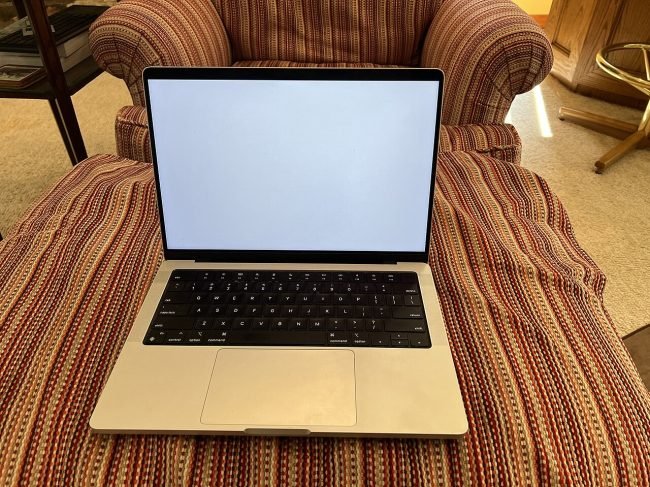
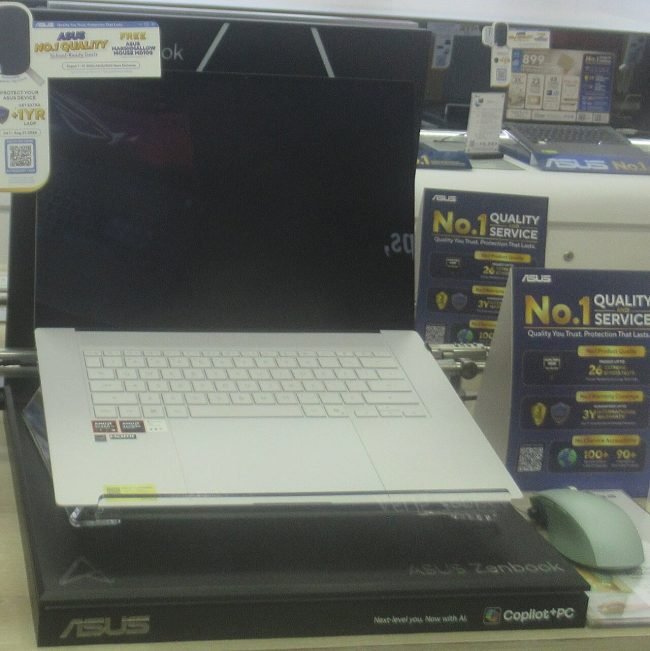
Most 14-inch laptops sold in India in 2026 measure about 31 to 32.5 cm wide, 22 to 23 cm deep and 1.5 to 2 cm thick, and weigh 1.3 to 1.6 kg. An A4 sheet is 29.7 x 21 cm, so a 14-inch laptop is only about 1 to 2 cm bigger than an A4 sheet on each side. If you can carry a notebook of A4 pages in your bag, you can carry a 14-inch laptop.
REAL SIZE
16-Inch Laptop Dimensions (Size in cm)
A 16-inch laptop has a 40.6 cm diagonal screen. Its body is usually about 35.5 to 36 cm wide, 24.5 to 25.5 cm deep and 1.6 to 2 cm thick (gaming models 2.2 to 2.8 cm). Normal 16-inch laptops weigh 1.65 to 2.2 kg, and 16-inch gaming laptops weigh 2.2 to 2.6 kg before you add the charger.
Compared with an A4 sheet, a 16-inch laptop is about 6 cm wider and 4 cm deeper. Put both on a table and the 16-inch takes about 28% more desk space than a 14-inch laptop.
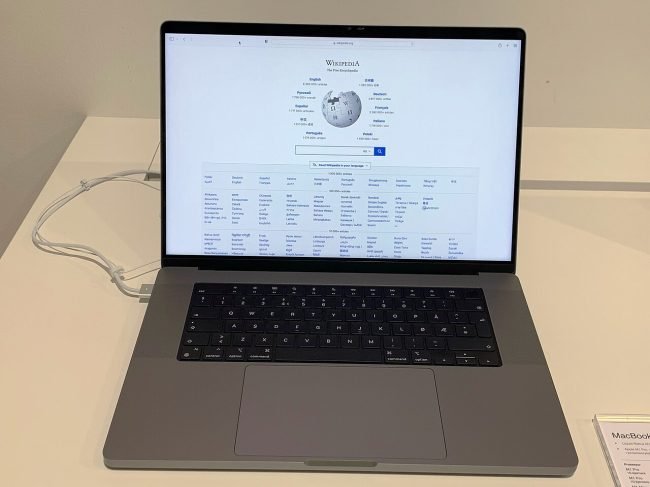
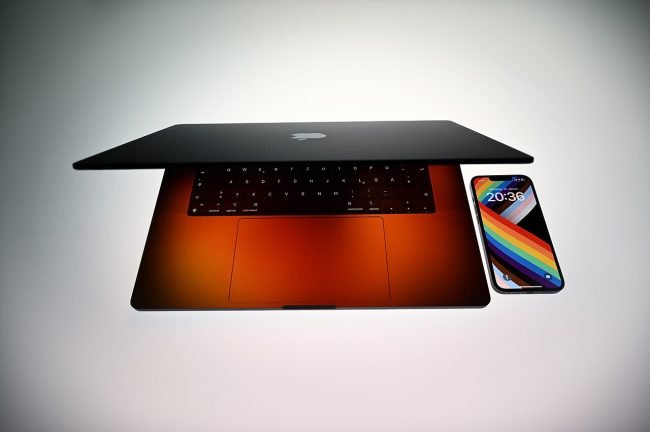
Why 16-inch laptops are not as huge as they sound: thinner screen borders mean a 16-inch laptop of 2026 is about the same width as an older 15.6-inch laptop. You get a taller screen in almost the same body.
Real 14-Inch vs 16-Inch Laptops: Official Dimensions and Weight
Swipe sideways on mobile to see every column.
| Laptop (same series) | Screen | Width x Depth x Thickness | Weight | Battery |
|---|---|---|---|---|
|
ASUS Vivobook 14 (X1407) |
14-inch |
31.5 x 22.3 x 1.79 to 1.99 cm |
1.46 kg |
Varies by model |
|
ASUS Vivobook 16 (X1607) |
16-inch |
35.7 x 25.1 x 1.79 to 1.99 cm |
1.88 kg |
42 Wh |
|
Lenovo IdeaPad Slim 5i 14 (Gen 11) |
14-inch |
31.3 x 22.2 x 1.69 cm |
1.34 kg |
50 or 60 Wh |
|
Lenovo IdeaPad Slim 5i 16 (Gen 11) |
16-inch |
35.7 x 25.1 x 1.69 cm |
1.65 kg |
50, 60 or 80 Wh |
|
Apple MacBook Pro 14 (M5) |
14.2-inch |
31.3 x 22.1 x 1.55 cm |
1.55 kg |
72.4 Wh |
|
Apple MacBook Pro 16 (M5 Pro) |
16.2-inch |
35.6 x 24.8 x 1.68 cm |
2.14 kg |
100 Wh |
|
A4 sheet (for scale) |
n/a |
29.7 x 21.0 cm |
about 5 g |
n/a |
Source: ASUS, Lenovo and Apple official specifications (thickness and weight vary slightly by configuration). Notice the pattern: in the same series, the 16-inch model is about 4.3 cm wider, 2.8 cm deeper and 0.3 to 0.6 kg heavier.
SEE THE DIFFERENCE
Real Photos: 14-Inch vs Bigger Laptops Side by Side
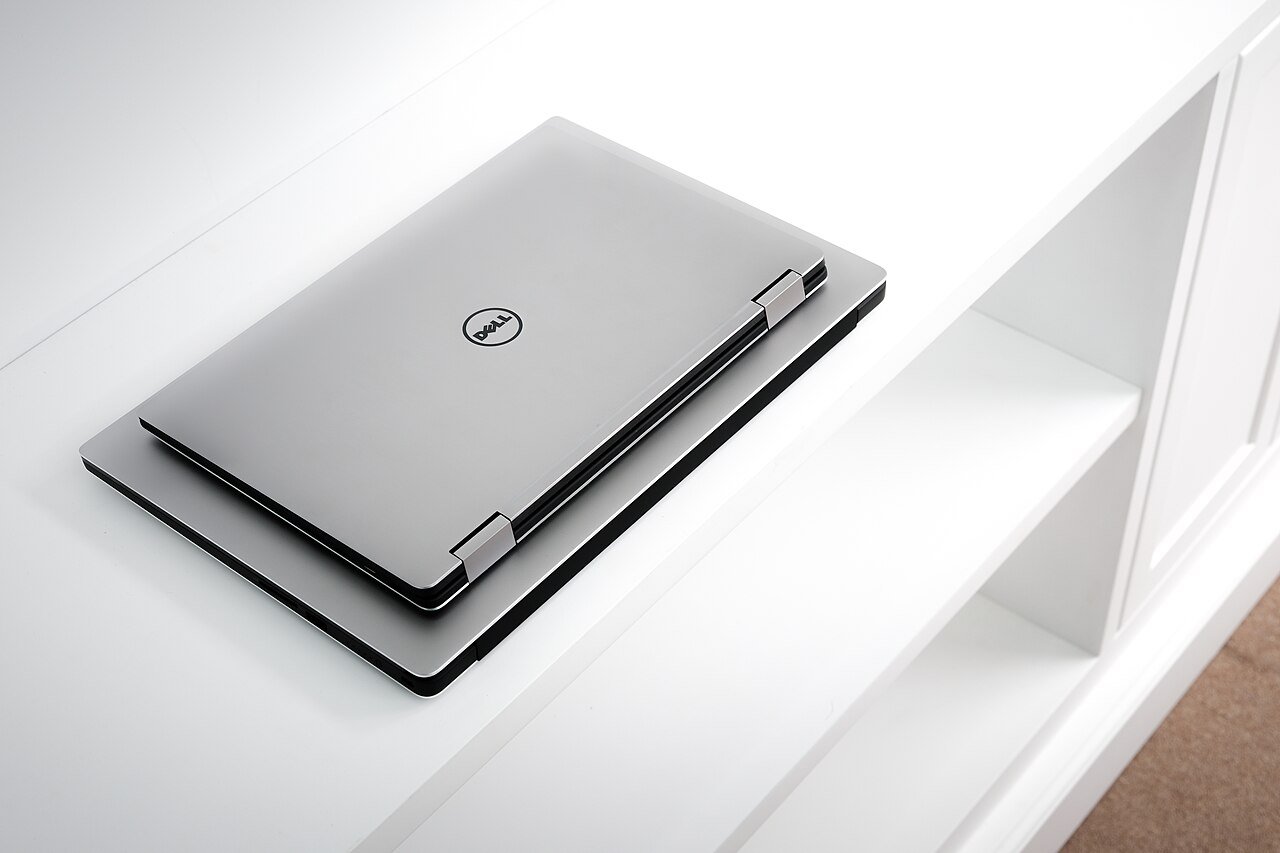
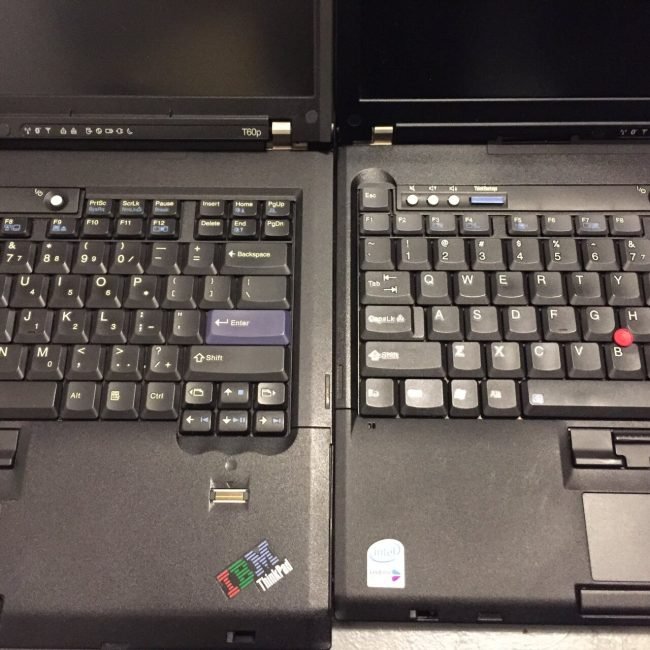
Numbers are useful, but photos make the difference obvious. These pictures put a smaller laptop right next to a bigger one, so you can see the gap the way you would see it in a shop.
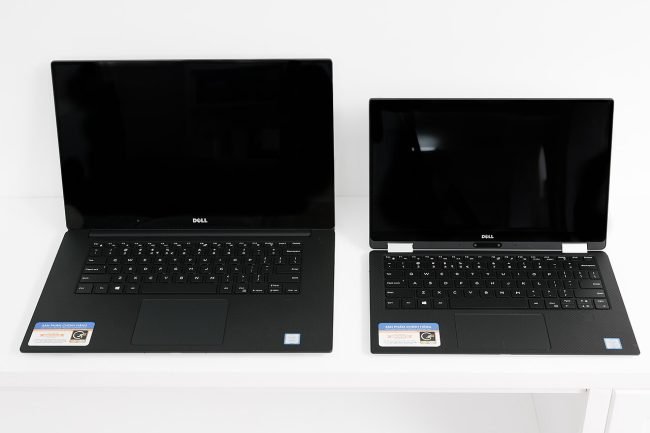
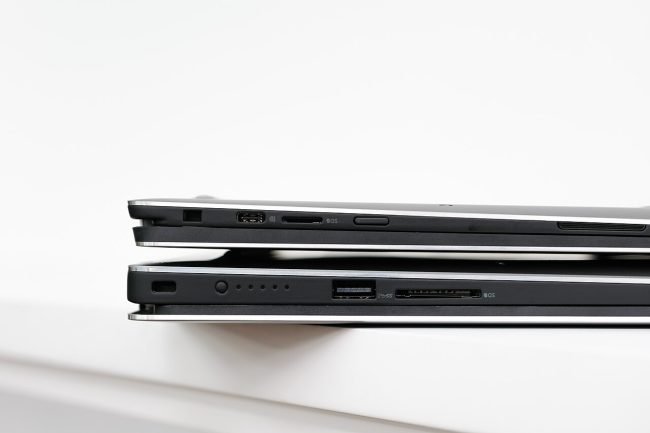
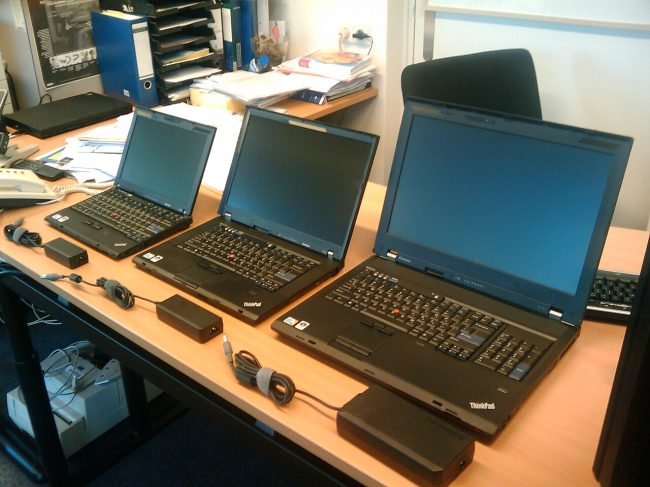
PORTABILITY
Weight and Carrying: Does 300 to 600 Grams Really Matter?
On a shop counter, a 1.4 kg laptop and a 1.9 kg laptop feel almost the same. After carrying them for a full college day, they do not. Here is the real carry weight with the charger and a normal backpack:
- 14-inch setup: laptop about 1.4 kg + 65W charger about 0.25 kg + backpack about 0.6 kg = about 2.25 kg
- 16-inch setup: laptop about 1.9 kg + 65W to 100W charger about 0.3 kg + backpack about 0.6 kg = about 2.8 kg
- 16-inch gaming setup: laptop about 2.4 kg + 180W to 230W charger about 0.6 to 0.8 kg + backpack = about 3.6 to 3.8 kg
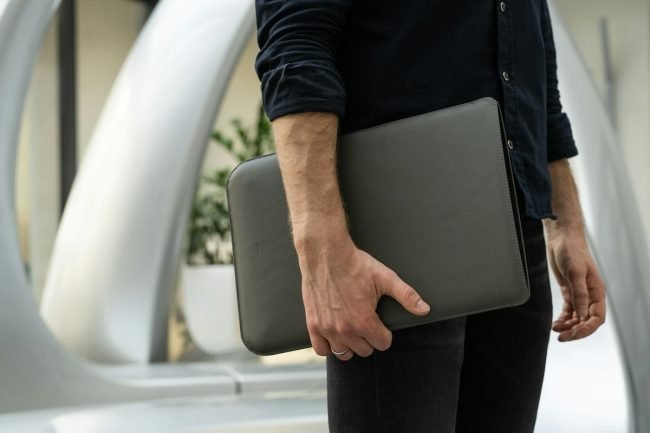
When the extra weight matters
- You walk, take the bus or metro, or ride a two-wheeler with the laptop every day
- You move between classrooms, labs or meeting rooms several times a day
- You often work from cafes, libraries or co-working spaces
When the extra weight does not matter
- The laptop stays on one desk at home or in a hostel room
- You travel by car or cab
- You only carry it a few times a month

BAG CHECK
Will a 16-Inch Laptop Fit in Your Bag?
Most laptop backpacks in India are sold as “fits up to 15.6-inch”. That label is about the inside sleeve, not the screen. Use this simple check before you buy:
- Find the laptop width and depth in the official specs (for example 35.7 x 25.1 cm).
- Measure the laptop sleeve inside your bag with a ruler or measuring tape.
- The sleeve should be at least 1 to 2 cm wider and deeper than the laptop.
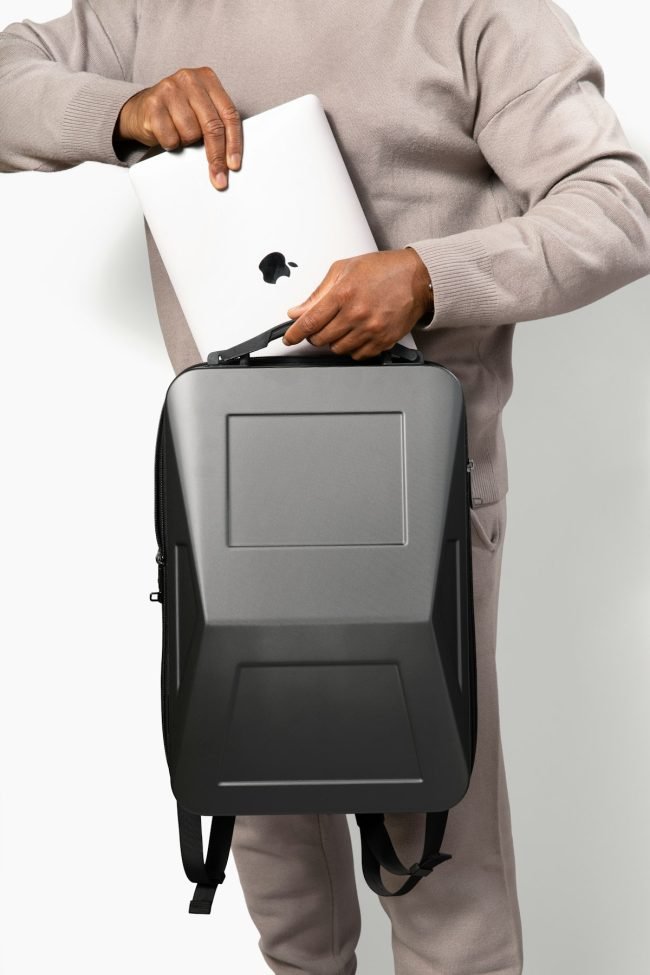
- 14-inch laptops (31 to 32.5 cm wide): fit in practically any 14-inch, 15.6-inch or 16-inch bag
- Normal 16-inch laptops (35.5 to 36 cm wide): fit most 15.6-inch bags, but some are tight. A 16 or 17-inch bag is safer
- 16-inch gaming laptops (36 to 37 cm wide, thicker): usually need a 16 or 17-inch gaming backpack, and the charger brick needs its own pocket
Budget tip: if you already own a small bag, add the cost of a new bag (about Rs 800 to Rs 2,000) to the price of a 16-inch laptop before you compare.
SCREEN
Screen Size: What You Actually See on 14 vs 16 Inches
The 16-inch screen is about 30% bigger in area than a 14-inch screen of the same shape. That is not just “bigger text”. It is more content at the same text size.
Excel, coding and split screen
On a 16-inch laptop, two windows side by side (for example a browser and Word, or code and documentation) are both comfortably readable. On a 14-inch laptop, side-by-side windows work, but each half feels narrow, and you scroll sideways more often in Excel.
Movies, YouTube and OTT
For Netflix, Hotstar and YouTube, the 16-inch screen is more immersive from the same distance. A 14-inch screen is still fine for one person, especially at a desk 50 to 60 cm away.
Resolution matters more than size for sharpness
A 14-inch Full HD+ (1920 x 1200) screen looks sharper than a 16-inch screen with the same resolution, because the same pixels are packed into a smaller area. On 16-inch laptops, a 2.5K or higher resolution is worth paying for if you do creative work.
KEYBOARD
Keyboard, Number Pad and Trackpad
Most 16-inch laptops have a full keyboard with a number pad on the right. Most 14-inch laptops do not.
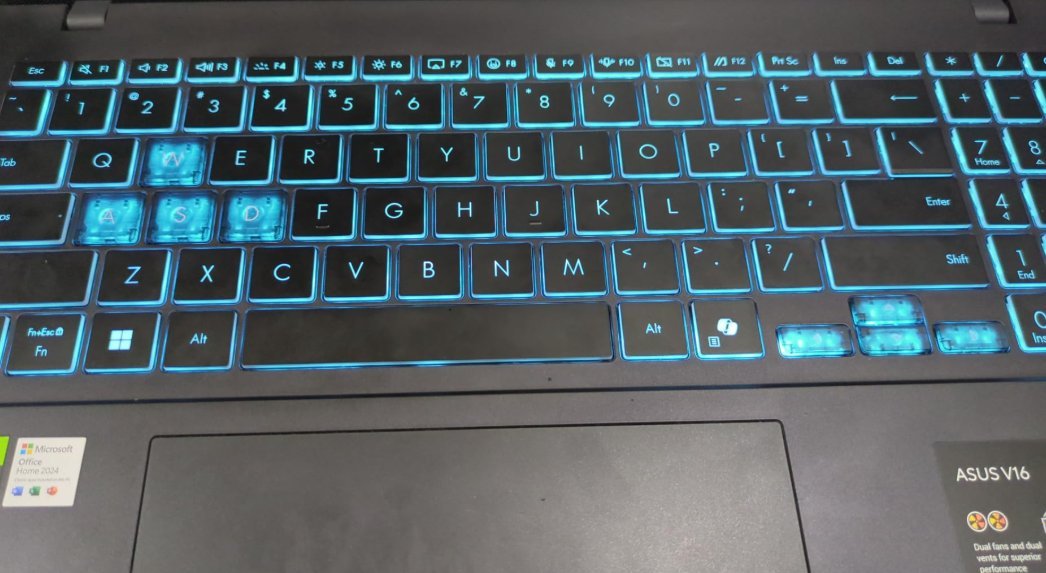
- Number pad (16-inch): great for accounts, Tally, Excel data entry and calculators
- Centred keyboard (14-inch): your hands sit in the middle of the laptop, which many writers and students find more comfortable for long typing
- Trackpad: 16-inch laptops usually have a wider trackpad, which helps for gestures and photo editing
Note: on a 16-inch laptop with a number pad, the main keys move slightly to the left of the screen centre. Most people get used to it in a day or two.
BATTERY
Battery Life: Does a 14-Inch Laptop Last Longer?
Not always. A 16-inch screen uses more power, but a 16-inch body also has room for a bigger battery. In the same series:
- The Lenovo IdeaPad Slim 5i 16 can be configured with an 80 Wh battery, while the 14-inch tops out at 60 Wh.
- The MacBook Pro 16 has a 100 Wh battery against 72.4 Wh in the 14-inch, and Apple rates both for up to 24 hours of video.
- Budget models like the ASUS Vivobook 16 use the same small 42 Wh class battery as cheaper 14-inch models, so the 16-inch version runs out sooner.
So check the battery size in Wh in the specs, not just the screen size. As a rule of thumb, a 14-inch and 16-inch laptop with the same processor and the same battery Wh will differ by about 30 to 60 minutes, with the 14-inch lasting longer.
PERFORMANCE
Cooling and Performance: Is a Bigger Laptop Faster?
With the same processor, a 16-inch laptop is often a little faster under long loads. It has room for bigger fans and more cooling, so the processor can hold its turbo speed longer before it slows down to control heat.
- Short tasks (browsing, Office, classes): no real difference
- Long tasks (gaming, video export, compiling code): 16-inch usually stays cooler and quieter
- Gaming laptops: most powerful graphics cards (RTX 5060 and above) ship in 15.6-inch and 16-inch bodies. 14-inch gaming laptops exist, but they cost more and run hotter
The processor and RAM still matter much more than size. If you are choosing a chip, read our Ryzen 7 vs Intel i7 guide, and for gaming make sure the laptop has enough memory: our guide on whether 8GB RAM is enough for gaming explains why 16GB is the safe choice.
PRICE
Price: Does a 16-Inch Laptop Cost More?
In the same series, the 16-inch version usually costs a little more than the 14-inch version with the same processor, RAM and SSD. You pay for the bigger screen, and sometimes a bigger battery.
If your budget is fixed, compare what the extra money could buy instead:
- 16GB RAM instead of 8GB, which makes a much bigger difference to speed than screen size
- 512GB SSD instead of 256GB
- A better processor in the same 14-inch body
- A 24-inch external monitor for home (often Rs 7,000 to Rs 10,000), which gives you a far bigger screen than any laptop
WHO SHOULD BUY
14-Inch or 16-Inch: Our Recommendation for Every Buyer

- School and college students (notes, assignments, online classes): 14-inch. Light, fits any bag, and cheaper
- Engineering and computer science students: 14-inch if you commute daily, 16-inch if you stay in a hostel and code for long hours
- Office workers and sales staff who travel: 14-inch
- Accountants, CA students and Excel users: 16-inch for the number pad and wider sheets
- Programmers and developers: 16-inch, or 14-inch plus an external monitor
- Gamers: 16-inch (or 15.6-inch) for better cooling and a bigger screen
- Video editors and designers: 16-inch with a high-resolution screen
- Family laptop that stays at home: 16-inch
- Frequent flyers and travellers: 14-inch, it fits the airline tray table and lap
14 vs 15.6 vs 16 Inch Laptop: Where Does 15.6-Inch Fit?
Swipe sideways on mobile to see every column.
| Size | Screen shape | Screen width x height | Typical body width | Typical weight | Who it suits |
|---|---|---|---|---|---|
|
14-inch |
16:10 |
about 30.2 x 18.8 cm |
31 to 32.5 cm |
1.3 to 1.6 kg |
Daily carry |
|
15.6-inch |
16:9 |
about 34.5 x 19.4 cm |
35.5 to 36.5 cm |
1.6 to 2.4 kg |
Budget and gaming buyers |
|
16-inch |
16:10 |
about 34.5 x 21.5 cm |
35.5 to 36 cm |
1.65 to 2.6 kg |
Desk work, gaming, creators |
A 15.6-inch laptop has almost the same screen width and body width as a 16-inch laptop, but its screen is about 2 cm shorter because it uses the wider 16:9 shape. If a 15.6-inch and a 16-inch model cost the same, the 16-inch gives you more vertical space for documents and web pages in nearly the same body. The 14 inch vs 15.6 inch gap is almost the same as 14 vs 16 in width and weight.
METHOD
How to Check Your Laptop Screen Size
Not sure what size your current laptop is? Use it as your reference before buying the next one.
- Take a measuring tape or ruler.
- Measure the visible screen (not the black border) from the bottom-left corner to the top-right corner.
- Divide the result in cm by 2.54 to get inches. For example, 35.6 cm / 2.54 = 14 inches, and 39.6 cm / 2.54 = 15.6 inches.
- You can also find the model number on the sticker under the laptop and search for it on the brand’s website to see the official screen size and dimensions.
If your current laptop feels too heavy to carry, go one size smaller. If you always find yourself zooming out or wishing for a second screen, go one size bigger.
Quick Checklist Before You Choose a Size
- Will you carry it more than 3 days a week? Choose 14-inch
- Do you need a number pad or two windows side by side all day? Choose 16-inch
- Will you play games or edit videos? Choose 16-inch (or 15.6-inch)
- Is your bag sleeve less than 37 cm wide? Choose 14-inch or buy a new bag
- Do you have an external monitor at home? A 14-inch laptop will feel big enough
Best Laptops by Budget in India
Our buying guides list new, in-stock laptops on Amazon India in 14-inch, 15.6-inch and 16-inch sizes, with the screen size of every pick.
Frequently Asked Questions About 14-Inch and 16-Inch Laptops
How big is a 14-inch laptop in cm?
The screen of a 14-inch laptop measures 35.6 cm diagonally. The whole laptop is usually about 31 to 32.5 cm wide, 22 to 23 cm deep and 1.5 to 2 cm thick, which is only 1 to 2 cm bigger than an A4 sheet on each side. Most 14-inch laptops weigh 1.3 to 1.6 kg.
What are the dimensions of a 16-inch laptop?
A 16-inch laptop has a 40.6 cm diagonal screen and a body of about 35.5 to 36 cm wide and 24.5 to 25.5 cm deep. Normal 16-inch laptops are 1.6 to 2 cm thick and weigh 1.65 to 2.2 kg. 16-inch gaming laptops are thicker (2.2 to 2.8 cm) and weigh 2.2 to 2.6 kg.
Is a 14-inch laptop good for students?
Yes. For most school and college students a 14-inch laptop is the best size. It is light enough to carry every day, fits in any bag, works on a small desk or your lap, and is usually cheaper than the 16-inch version of the same laptop.
Will a 16-inch laptop fit in a 15.6-inch bag?
Usually yes, but it can be tight. Most normal 16-inch laptops are about 35.5 to 36 cm wide, and many 15.6-inch bags have a sleeve about 37 to 40 cm wide. Measure the sleeve and the laptop: you need at least 1 to 2 cm of free space. 16-inch gaming laptops are safer in a 17-inch bag.
Is a 16-inch laptop too big to carry every day?
For many people, yes. With its charger and a bag, a 16-inch laptop adds up to about 2.8 kg, and a gaming model can reach 3.6 kg or more. If you walk, take public transport or ride a two-wheeler daily, a 14-inch laptop will be much more comfortable.
Is a 16-inch laptop better for gaming?
Generally yes. The bigger body has room for larger fans and more powerful graphics cards, so it stays cooler and holds performance longer, and the larger screen is more immersive. 14-inch gaming laptops exist, but they cost more for the same performance and run hotter.
Is 14 inch vs 15.6 inch a big difference?
Yes, it is about the same as 14 vs 16 inch in body size: a 15.6-inch laptop is about 4 cm wider and 300 to 800 g heavier than a 14-inch one. The 15.6-inch screen uses the wider 16:9 shape, so it is wide but about 2 cm shorter than a 16-inch 16:10 screen.
Does a bigger laptop screen use more battery?
A bigger screen uses more power, but 16-inch laptops often have bigger batteries, so battery life can be similar. With the same processor and the same battery size, a 14-inch laptop usually lasts about 30 to 60 minutes longer. Always compare the battery size in Wh.
Final Verdict: 14-Inch or 16-Inch?
If your laptop leaves the house most days, buy a 14-inch laptop. It is about the size of an A4 sheet, weighs 1.3 to 1.6 kg and fits every bag. If your laptop mostly lives on a desk, or you game, code, edit or work in Excel for hours, buy a 16-inch laptop for 30% more screen, a number pad and better cooling. Still unsure? A 14-inch laptop plus an external monitor at home gives you the best of both sizes.

Getmyelectronic is a buying guide for laptops, monitors, graphics cards and gaming PC accessories in India. The guides are written by Rajarajan, a gamer and PC hardware enthusiast. The aim is simple: help you pick the right product for your budget and your use, without the marketing noise