UPDATED OCTOBER 2026 | LAPTOP RAM GUIDE | LPDDR5 VS DDR5 EXPLAINED
Two laptops can both say “16GB RAM” on the Amazon listing and still behave very differently. One uses LPDDR5 (or the newer LPDDR5X) soldered to the motherboard. The other uses DDR5 on a removable stick that you can upgrade later.
This guide explains the real difference between LPDDR5 vs DDR5 in laptops: speed, gaming, upgrades and battery life, so you can pick the right laptop before you pay for it.
Quick Answer: LPDDR5 vs DDR5, Which Is Better?
LPDDR5 (and LPDDR5X) is faster and uses less power, but it is soldered, so you can never upgrade it. DDR5 in SO-DIMM slots is slightly slower and uses a little more power, but you can add or replace RAM later.
Buy a thin laptop with LPDDR5X if it already has enough memory for the next 4 to 5 years (16GB minimum, 32GB for creators). Buy a laptop with DDR5 slots if you want to start with 8GB or 16GB and upgrade later, or if it is a gaming laptop with a dedicated graphics card.
- LPDDR5 = Low Power DDR5, soldered on the board, not upgradeable
- DDR5 = removable SO-DIMM stick, easy to upgrade
- Faster speed: LPDDR5X (7500 to 9600 MT/s) vs DDR5 (4800 to 7200 MT/s)
- Better battery: LPDDR5 / LPDDR5X
- Better upgrades: DDR5
LPDDR5 vs DDR5 in Laptops: Comparison Table
Swipe sideways on mobile to see every column.
| Feature | LPDDR5 / LPDDR5X | DDR5 (SO-DIMM) |
|---|---|---|
|
Full form |
Low Power Double Data Rate 5 |
Double Data Rate 5 |
|
How it is fitted |
Chips soldered on the motherboard (or on an LPCAMM2 module) |
Removable SO-DIMM stick in a slot |
|
Typical speed in 2026 laptops |
LPDDR5: 6400 MT/s. LPDDR5X: 7500 to 9600 MT/s |
4800, 5600 or 6400 MT/s (up to 7200 MT/s on the newest chips) |
|
Power use |
Lower, especially at idle and in sleep |
Higher |
|
Upgradeable? |
No (except LPCAMM2 laptops) |
Yes, if the laptop has free or swappable slots |
|
Repair if RAM fails |
Motherboard repair or replacement |
Swap the stick |
|
Integrated graphics performance |
Better (more bandwidth) |
Good in dual channel, weak in single channel |
|
Common in |
Thin and light laptops, ultrabooks, Copilot+ PCs, some 14-inch gaming laptops |
Budget laptops, most gaming laptops, business laptops |
Speeds are the maximums listed by Intel, AMD and JEDEC; each laptop uses its own speed. Check the listing for the exact RAM type before you buy.
PART 1
What Is LPDDR5? (LPDDR Full Form and Meaning)
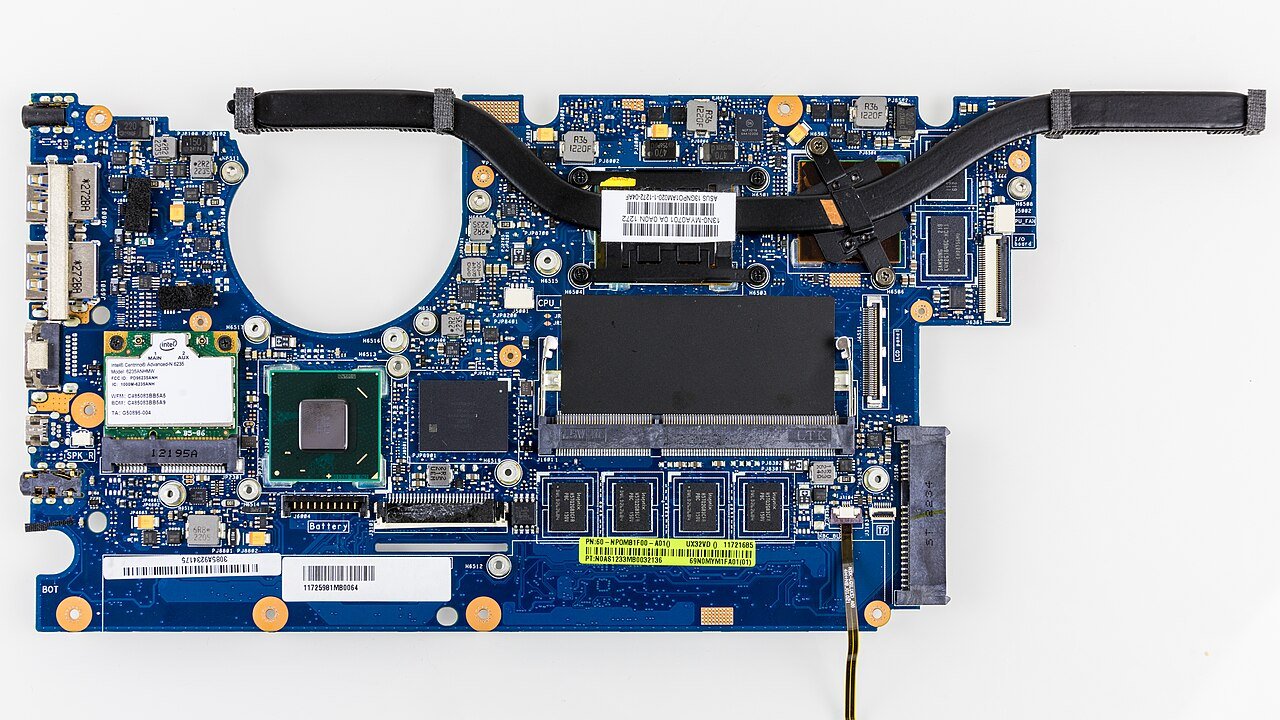
LPDDR stands for Low Power Double Data Rate. It started as phone memory and is now used in most thin laptops. LPDDR5 is the fifth generation, and LPDDR5X is a faster version of it.
LPDDR5 chips sit right next to the processor on the motherboard. Short wiring lets them run at very high speeds and at a lower voltage. The input/output voltage of LPDDR5 is about 0.5V, while DDR5 runs at 1.1V. That is where the power saving comes from.
The trade-off is simple: the chips are soldered. The amount of RAM you buy on day one is the amount you will have for the life of the laptop.
PART 2
What Is DDR5 RAM in a Laptop?
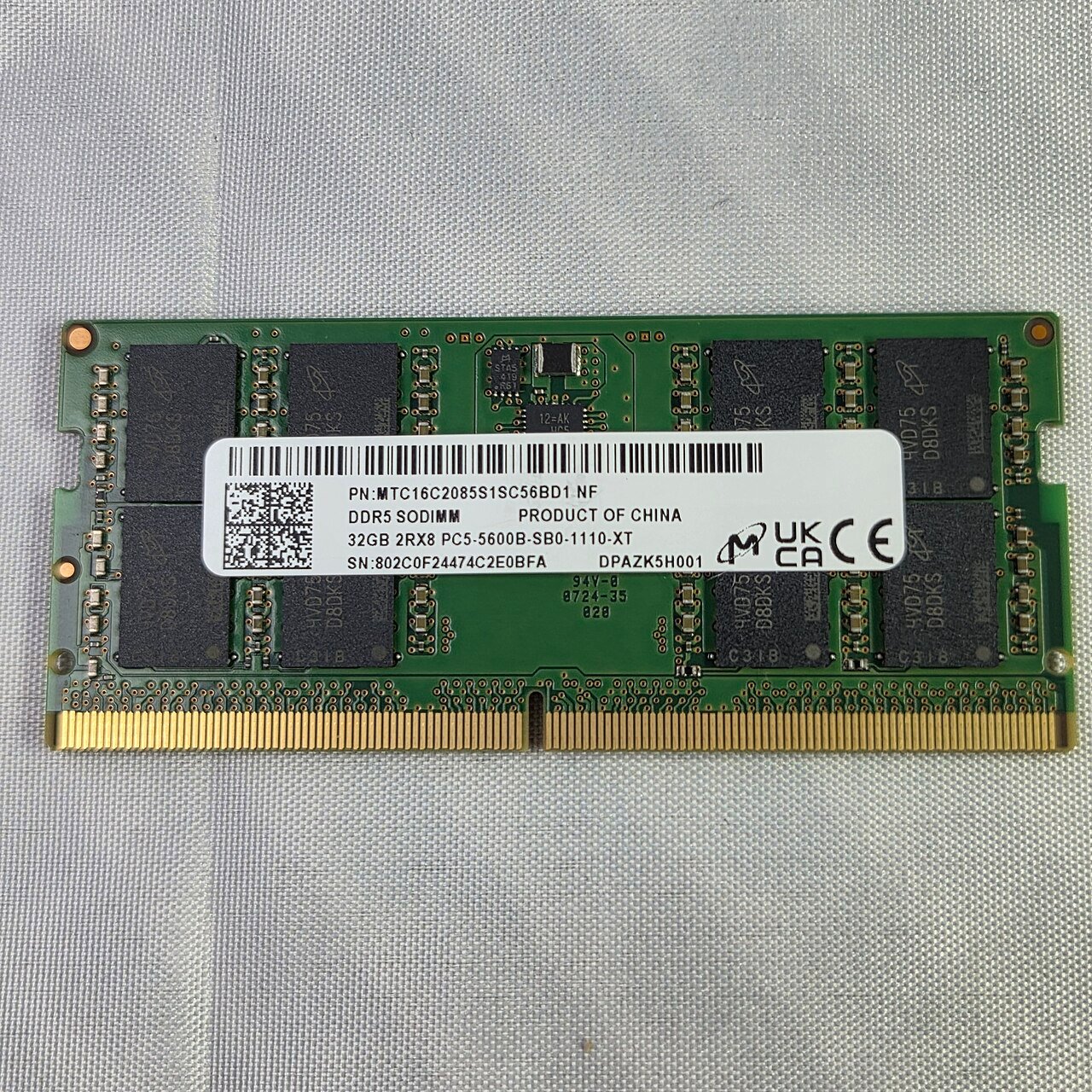
DDR5 is the same memory type used in desktop PCs. In laptops it comes on a short stick called an SO-DIMM (Small Outline DIMM). The stick clips into a slot on the motherboard and can be removed with a small screwdriver.
DDR5 laptops usually run at 4800 MT/s or 5600 MT/s, and newer models at 6400 MT/s. Intel’s Core Ultra Series 3 (Panther Lake) chips support up to DDR5-7200, while the same chips support LPDDR5X-9600.
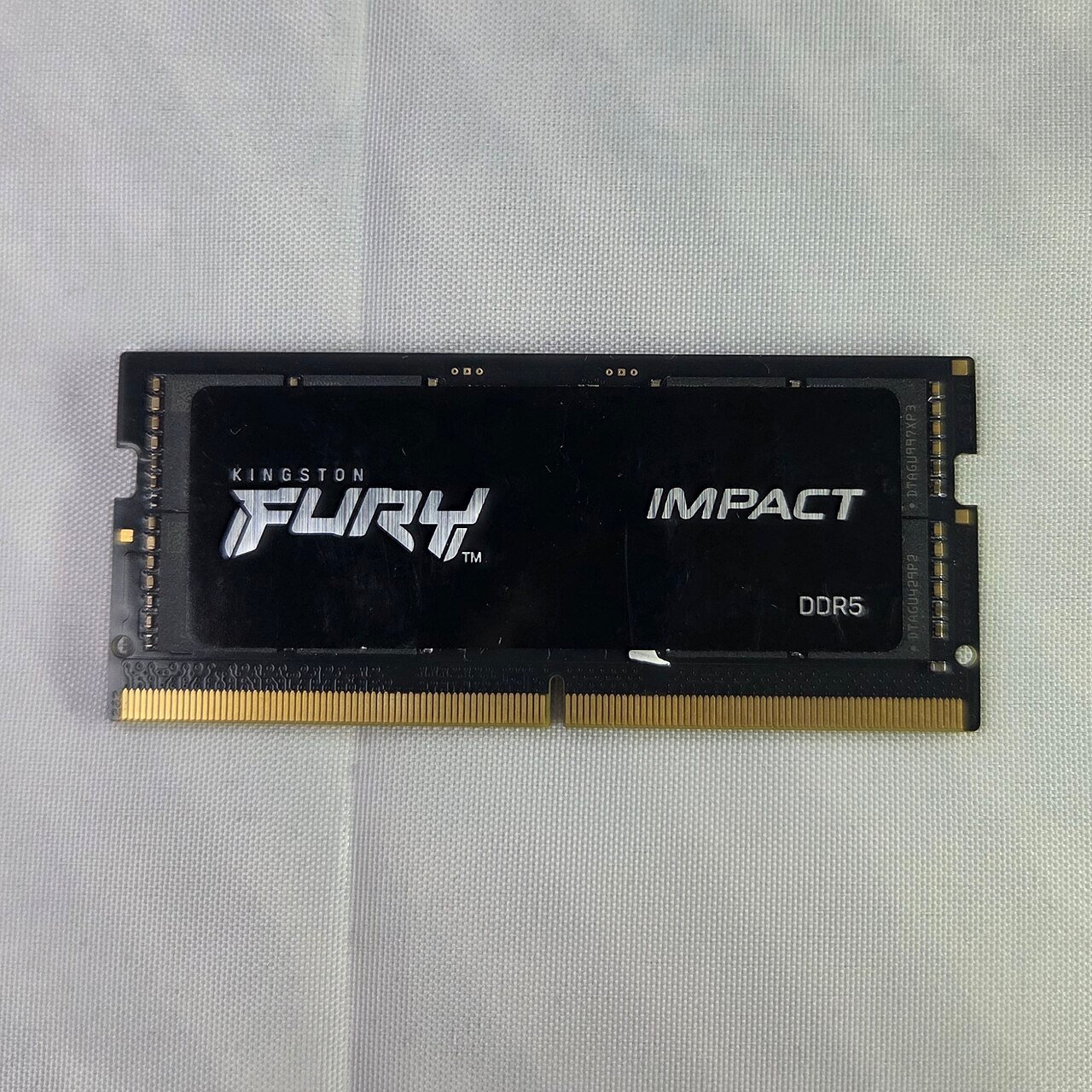
Most gaming laptops, including the HP Victus, Lenovo LOQ and HP Omen models in our buying guides, use DDR5 SO-DIMMs, because buyers expect to upgrade the RAM later.
Not sure which RAM your laptop has? Open Task Manager > Performance > Memory. Look at Form factor: “SODIMM” means removable DDR5 or DDR4 sticks, “Row of chips” means soldered LPDDR memory. The same screen shows Speed and Slots used.
SPEED
LPDDR5 vs DDR5 Speed: Which Is Faster?
On paper, LPDDR5X is faster. LPDDR5 runs at up to 6400 MT/s, and LPDDR5X laptops in 2026 run at 7500, 8533 or even 9600 MT/s. Most DDR5 laptops run at 5600 MT/s.
Speed alone does not tell the full story:
- Bandwidth: LPDDR5X wins. More bandwidth helps integrated graphics, AI features and video editing on thin laptops.
- Latency: DDR5 is often slightly quicker to respond. Everyday tasks like browsing, Office and coding feel the same on both.
- Dual channel matters more: A DDR5 laptop with one 16GB stick (single channel) loses a lot of integrated graphics performance compared with two 8GB sticks. LPDDR5 laptops are always wired in full width, so they never have this problem.
Tip: If you buy a DDR5 laptop that ships with a single stick, adding a matching second stick is one of the cheapest speed upgrades you can make.
GAMING
LPDDR5 vs DDR5 for Gaming Laptops
With a dedicated graphics card (RTX 3050, RTX 4060, RTX 5060 and up), RAM type makes very little difference to FPS. The graphics card has its own GDDR6 or GDDR7 memory, so the amount of system RAM (16GB or more) matters more than the type.
With integrated graphics (Intel Arc, AMD Radeon 780M, 890M or 8060S), LPDDR5X helps a lot, because the graphics chip uses system RAM as its video memory. This is why AMD’s Ryzen AI Max laptops and Intel Lunar Lake and Panther Lake laptops use fast LPDDR5X.
That is also why most gaming laptops still use DDR5 SO-DIMMs: you get easy upgrades, and the RTX card does the heavy lifting. Some thin 14-inch gaming laptops, such as the ASUS TUF A14, use soldered LPDDR5X to save space and weight.
BATTERY
LPDDR5 vs DDR5 Battery Life
LPDDR5 uses less power than DDR5. Micron says its LPDDR5X-based LPCAMM2 memory uses up to 61% less active power than DDR5 SO-DIMMs at the same speed (Micron press release). The saving is largest at idle and in sleep, which is where a laptop spends most of its time.
In real use, RAM is only one part of the laptop’s power draw. The screen, processor and graphics card use far more. So LPDDR5 gives a useful but modest gain in battery life. It helps most on thin laptops that are built for long battery life, and very little on gaming laptops with an RTX card.
UPGRADES
Can You Upgrade LPDDR5 RAM?
No. LPDDR5 and LPDDR5X are soldered to the motherboard, so they cannot be upgraded. If a listing says “16GB LPDDR5X, not upgradeable”, believe it. Choose enough RAM at the time of purchase.
DDR5 laptops are easy to upgrade:
- Check the number of slots and the maximum RAM in your laptop’s manual or on the maker’s support page.
- Buy a DDR5 SO-DIMM with the same speed as your current stick (for example DDR5-5600).
- Switch off the laptop, unplug it, remove the bottom panel and add or swap the stick.
- Switch on and check Task Manager > Performance > Memory to confirm the new total.
Some budget laptops have one stick soldered and one free slot. You can still upgrade, but only the free slot.
NEW IN 2026
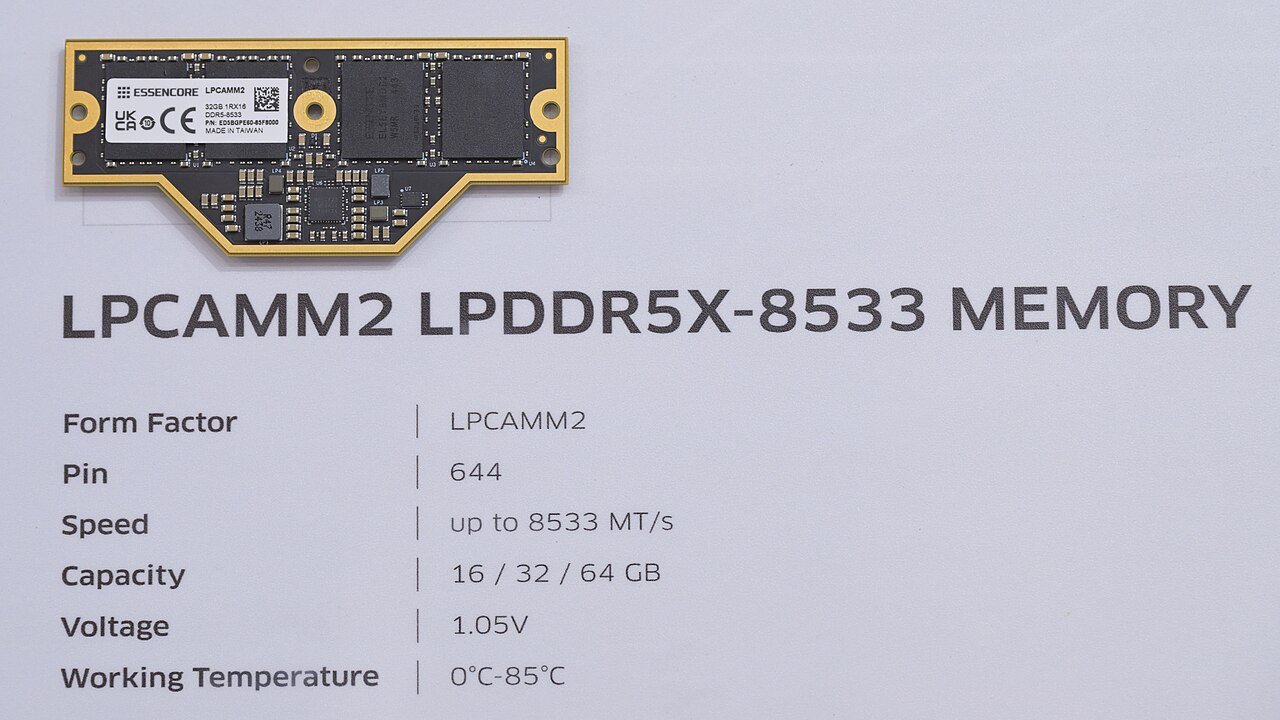
LPCAMM2: Upgradeable LPDDR5X
LPCAMM2 is a new module that puts LPDDR5X chips on a small, flat board that screws onto the motherboard. You get LPDDR5X speed and power saving, and you can still replace the memory later. Micron says it takes up to 64% less space than two stacked SO-DIMMs.
So far only a few business and workstation laptops use it, so most buyers in India will choose between soldered LPDDR5X and DDR5 SO-DIMMs for now.
LPDDR5 vs LPDDR5X vs DDR5 vs DDR4
Swipe sideways on mobile to see every column.
| Memory type | Typical laptop speed | Upgradeable? | Where you see it |
|---|---|---|---|
|
DDR4 (SO-DIMM) |
3200 MT/s |
Yes |
Older and some budget laptops |
|
LPDDR5 |
Up to 6400 MT/s |
No, soldered |
Thin laptops, 2022 to 2024 |
|
DDR5 (SO-DIMM) |
4800 to 6400 MT/s |
Yes |
Most gaming and budget laptops in 2026 |
|
LPDDR5X |
7500 to 9600 MT/s |
No (yes with LPCAMM2) |
Thin laptops, Copilot+ PCs, some 14-inch gaming laptops |
LPDDR5 vs DDR4: LPDDR5 is roughly twice as fast as DDR4-3200 and uses less power. The only reason to prefer a DDR4 laptop is upgradeability at a lower price.
Real Laptops: Which RAM Do They Use?
Swipe sideways on mobile to see every column.
| Laptop | RAM | Upgradeable? |
|---|---|---|
|
ASUS TUF A14 (RTX 5060) |
16GB LPDDR5X |
No |
|
ASUS TUF A14 FA401EA (Radeon 8060S) |
32GB LPDDR5X |
No |
|
HP Victus 15 fb3134AX |
16GB DDR5-5600 (1 x 16GB) |
Yes |
|
Lenovo LOQ 83JC00EEIN |
12GB DDR5-4800 |
Yes, up to 32GB |
|
HP Omen 16 am0238TX |
24GB DDR5-5600 |
Yes |
RAM details are from the Amazon India listings and maker spec sheets used in our buying guides, October 2026.
LPDDR5 or DDR5: Which Should You Buy?
- Students and office users: A thin laptop with 16GB LPDDR5X is a good choice. You get better battery life, and 16GB is enough for study, Office and browsing for years.
- Creators and coders: Choose 32GB LPDDR5X, or a DDR5 laptop with two slots so you can go to 32GB or 64GB later.
- Gamers with an RTX laptop: DDR5 is the safer choice. Start with 16GB and upgrade to 32GB when games need it.
- Gamers on integrated graphics: LPDDR5X makes a clear difference. Pick dual-channel or LPDDR5X memory.
- Tight budget: A DDR5 laptop with 8GB and a free slot lets you buy now and add RAM later. Avoid 8GB LPDDR5 laptops, because you can never upgrade them.
Rule of thumb: If the RAM is soldered, buy the amount you will need in year 4, not in year 1.
Find a Laptop With the Right RAM
Our buying guides list the RAM type and whether it can be upgraded for every laptop we recommend.
Frequently Asked Questions About LPDDR5 vs DDR5
Is LPDDR5 better than DDR5?
LPDDR5 (and LPDDR5X) is faster on paper and uses less power, so it is better for thin laptops and battery life. DDR5 is better if you want to upgrade RAM later, because LPDDR5 is soldered and DDR5 comes on removable SO-DIMM sticks.
Can LPDDR5 RAM be upgraded?
No. LPDDR5 and LPDDR5X are soldered to the motherboard. The only exception is the new LPCAMM2 module, which is used in only a few business laptops so far.
Is LPDDR5 good for gaming?
Yes. With a dedicated RTX graphics card, the RAM type makes little difference to FPS; 16GB or more matters more. With integrated graphics, LPDDR5X gives a clear boost because the graphics chip uses system RAM.
What is the full form of LPDDR?
LPDDR stands for Low Power Double Data Rate. It is a version of DDR memory designed to use less power, first for phones and now for thin laptops.
Is LPDDR5X better than DDR5?
LPDDR5X is faster than DDR5 in laptops (7500 to 9600 MT/s compared with 4800 to 7200 MT/s) and uses less power. DDR5 still wins on upgrades and repair, since a faulty DDR5 stick can simply be replaced.
Does LPDDR5 improve battery life?
Yes, but modestly. LPDDR5 uses less power, especially at idle and in sleep. The screen and processor use far more power than RAM, so expect a small gain rather than hours of extra battery.
How do I know if my laptop has LPDDR5 or DDR5?
Open Task Manager > Performance > Memory. If Form factor says “Row of chips”, the RAM is soldered (usually LPDDR). If it says “SODIMM”, it uses removable sticks. The spec sheet on the maker’s website lists the exact type.
Is 16GB LPDDR5 enough?
For study, office work, coding and most gaming, 16GB is enough in 2026. Because LPDDR5 cannot be upgraded, creators and heavy multitaskers should choose 32GB.
The Short Version
LPDDR5 vs DDR5 comes down to one question: will you upgrade the RAM later? If not, a laptop with LPDDR5X gives you more speed and better battery life. Just buy enough memory on day one, 16GB at minimum. If you want to start small and upgrade, or you are buying an RTX gaming laptop, choose DDR5 SO-DIMMs.

Getmyelectronic is a buying guide for laptops, monitors, graphics cards and gaming PC accessories in India. The guides are written by Rajarajan, a gamer and PC hardware enthusiast. The aim is simple: help you pick the right product for your budget and your use, without the marketing noise