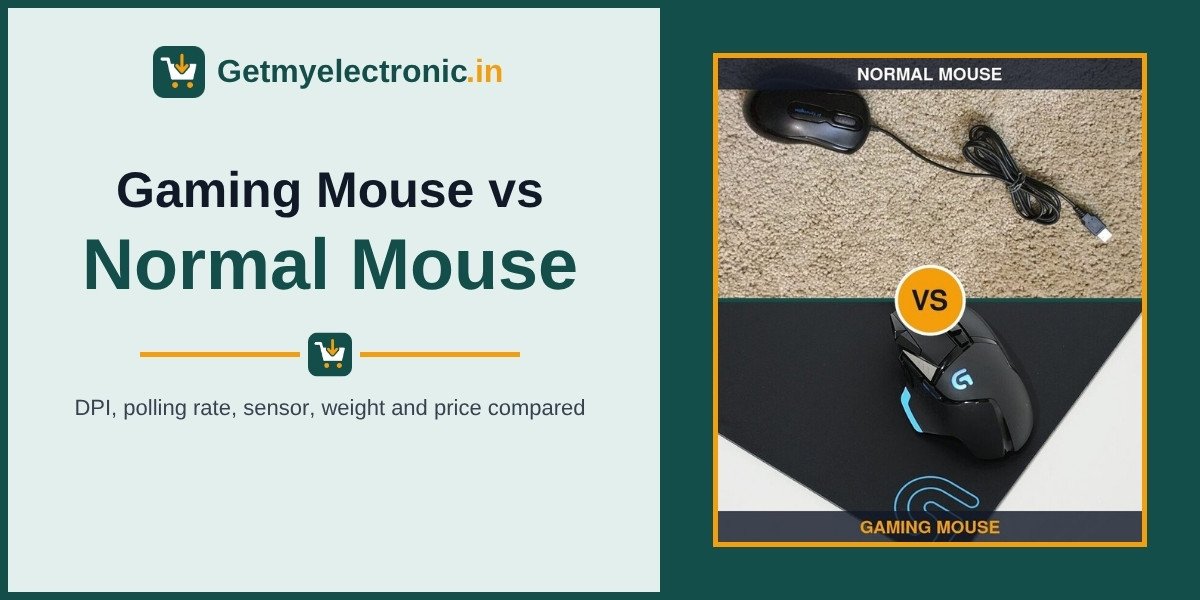
UPDATED NOVEMBER 2026 | MOUSE GUIDE | SENSOR, DPI, POLLING RATE AND PRICE COMPARED
A normal office mouse costs around Rs 300 to Rs 600 in India. A good entry gaming mouse like the Logitech G102 or Razer DeathAdder Essential costs around Rs 1,300 to Rs 2,000. So the real question is simple: what do you get for that extra Rs 1,000, and will you actually feel it?
In this guide we compare the two spec by spec (sensor, DPI, polling rate, tracking speed, switches, weight and software), show what each number means on a real screen, and tell you exactly who should upgrade and who can keep using the mouse they already have.
Short Answer: Is a Gaming Mouse Worth It?
Yes, if you play shooters or fast online games, and no, if you only browse, study and do office work. A gaming mouse reports its position up to 8 times more often (1000 Hz vs about 125 Hz), uses a far more accurate sensor (up to 8,000 to 44,000 DPI with no built-in acceleration, vs 800 to 1,600 DPI), and adds adjustable DPI, side buttons and stronger switches. For Valorant, CS2, BGMI on emulator or any PC shooter, even a Rs 1,300 gaming mouse is a clear upgrade over a Rs 400 office mouse. For Excel, Chrome and college work, a normal mouse does the job just as well.
- Office, study, browsing: a normal mouse is enough
- Casual gaming and single-player games: an entry gaming mouse (Rs 1,200 to Rs 2,000) is the sweet spot
- Competitive shooters (Valorant, CS2): gaming mouse with a 1000 Hz polling rate and a good sensor
- Long work hours with many tabs and spreadsheets: a productivity mouse like the MX Master, not a gaming mouse
- Gaming laptop owners: a gaming mouse is the first accessory worth buying
Gaming Mouse vs Normal Mouse: Spec-by-Spec Comparison
Swipe sideways on mobile to see every column.
| Spec | Normal (office) mouse | Entry gaming mouse | Premium gaming mouse |
|---|---|---|---|
|
Example models |
Logitech B100, HP X1000, Dell MS116 |
Logitech G102, Razer DeathAdder Essential |
Logitech G Pro X Superlight 2, Razer DeathAdder V3 |
|
Sensor DPI |
800 to 1,600 (often fixed) |
6,400 to 8,000, adjustable |
26,000 to 44,000, adjustable |
|
DPI button |
Usually none |
Yes, 4 to 5 steps |
Yes, plus software in 50 or 1 DPI steps |
|
Polling rate |
About 125 Hz (8 ms) |
1,000 Hz (1 ms) |
1,000 to 8,000 Hz (1 to 0.125 ms) |
|
Max tracking speed |
Usually not listed |
About 200 to 400 IPS |
500 to 750+ IPS |
|
Acceleration |
Not listed, some smoothing |
None (1:1 tracking) |
None (1:1 tracking) |
|
Buttons |
3 (left, right, wheel) |
5 to 6, programmable |
5 to 11, programmable |
|
Click switch rating |
Usually not published |
About 10 to 20 million clicks |
60 to 90 million (optical switches) |
|
Weight |
About 70 to 100 g |
About 65 to 100 g |
About 55 to 65 g (wireless) |
|
Software and onboard memory |
No |
Yes (G Hub, Synapse) |
Yes, with onboard profiles |
|
Price in India (approx.) |
Rs 300 to Rs 700 |
Rs 1,200 to Rs 2,000 |
Rs 6,000 to Rs 15,000 |
Prices are approximate Amazon India prices in November 2026 and change often. IPS = inches per second the sensor can track before it loses position.
WHAT IS DIFFERENT
What Is a Normal Mouse, and What Makes a Mouse a "Gaming" Mouse?
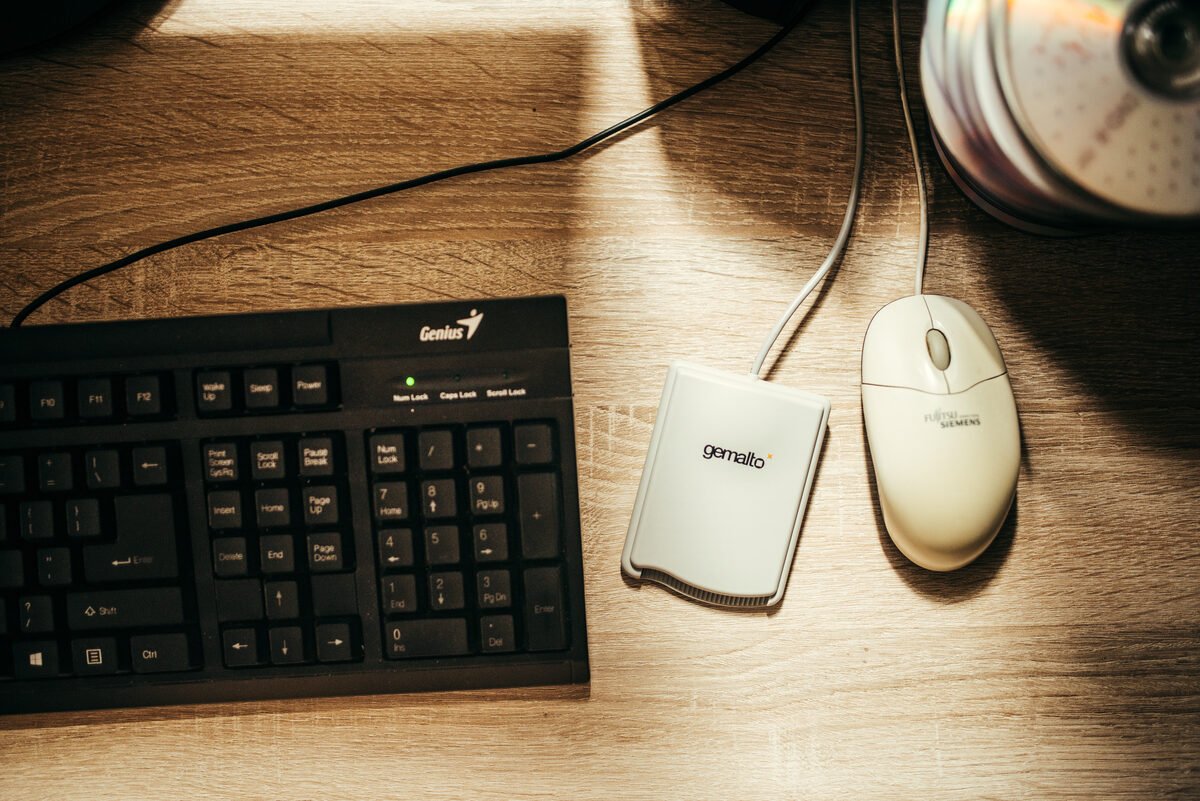
A normal mouse (also called an office or regular mouse) is built to move a cursor across documents and web pages. It needs to be cheap, reliable and comfortable for clicking. Most have a basic optical sensor around 800 to 1,600 DPI, three buttons, and they talk to the computer about 125 times per second.
A gaming mouse is built for one extra job: turning fast, small hand movements into exactly the same movement on screen, with as little delay as possible. That means a better sensor, a higher polling rate, adjustable DPI, more buttons, stronger switches and a cable or wireless link made for low latency.
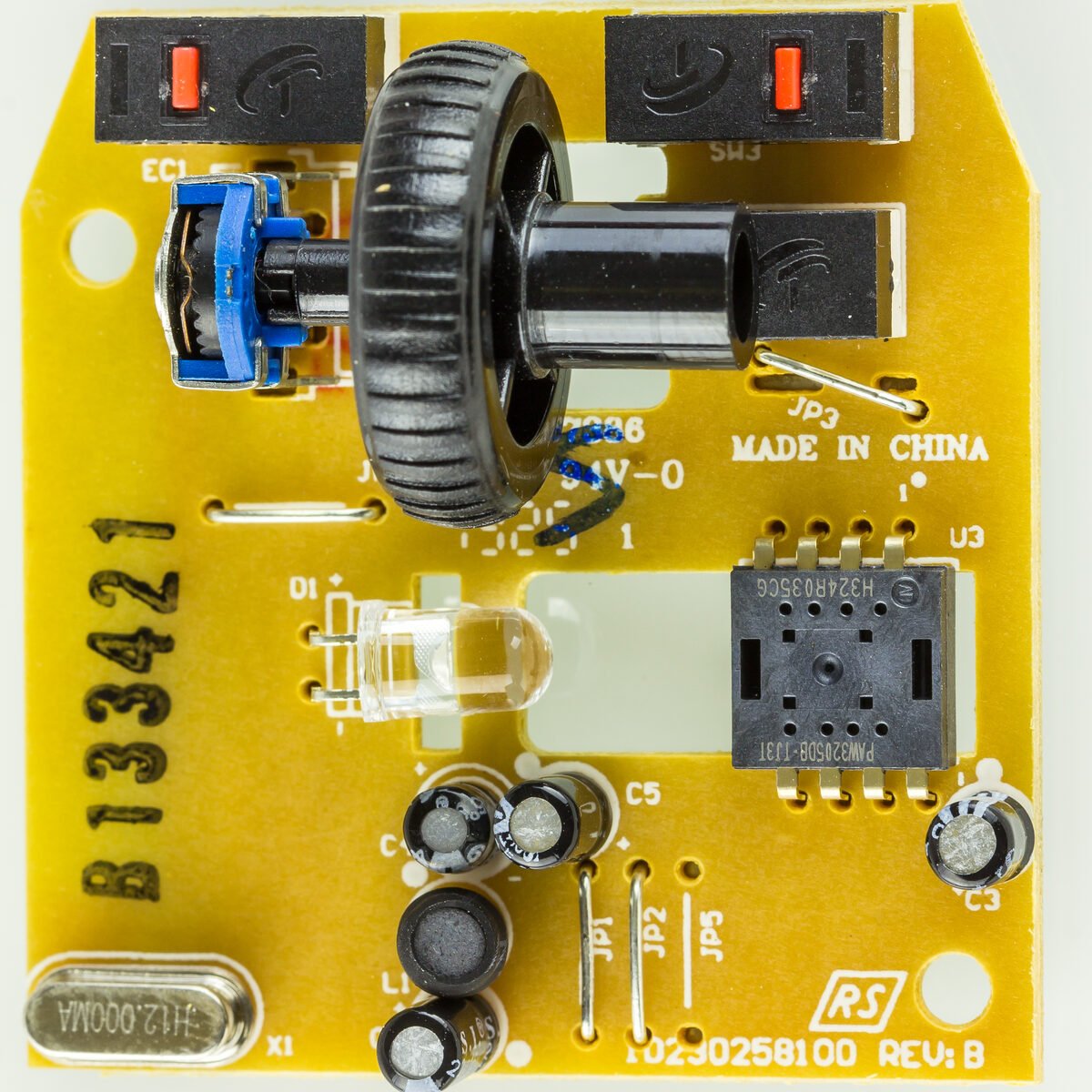
The shape is not what makes it a gaming mouse. RGB lights and an aggressive design add nothing to aim. The sensor, polling rate and switches are what you pay for.
DIFFERENCE 1
Sensor and DPI: Accuracy, Not Just a Bigger Number
DPI (dots per inch) is how many position steps the mouse reports when you move it one inch (2.54 cm). Higher DPI means the cursor moves further for the same hand movement. On its own, a bigger DPI number does not make you aim better. What matters is that the sensor tracks accurately at the DPI you actually use, without jitter, smoothing or acceleration.
What DPI means on a real screen
On a 1920 x 1080 display with Windows pointer speed at the default (6 of 11), this is how far you need to move the mouse to cross the whole screen:
- 800 DPI: about 2.4 inches (6.1 cm)
- 1,600 DPI: about 1.2 inches (3 cm)
- 3,200 DPI: about 0.6 inches (1.5 cm), too twitchy for most people
That is why most competitive Valorant and CS2 players use only 400 to 1,600 DPI with a low in-game sensitivity, even though their mouse can do 26,000 DPI or more.
Why the sensor quality matters more than the DPI number
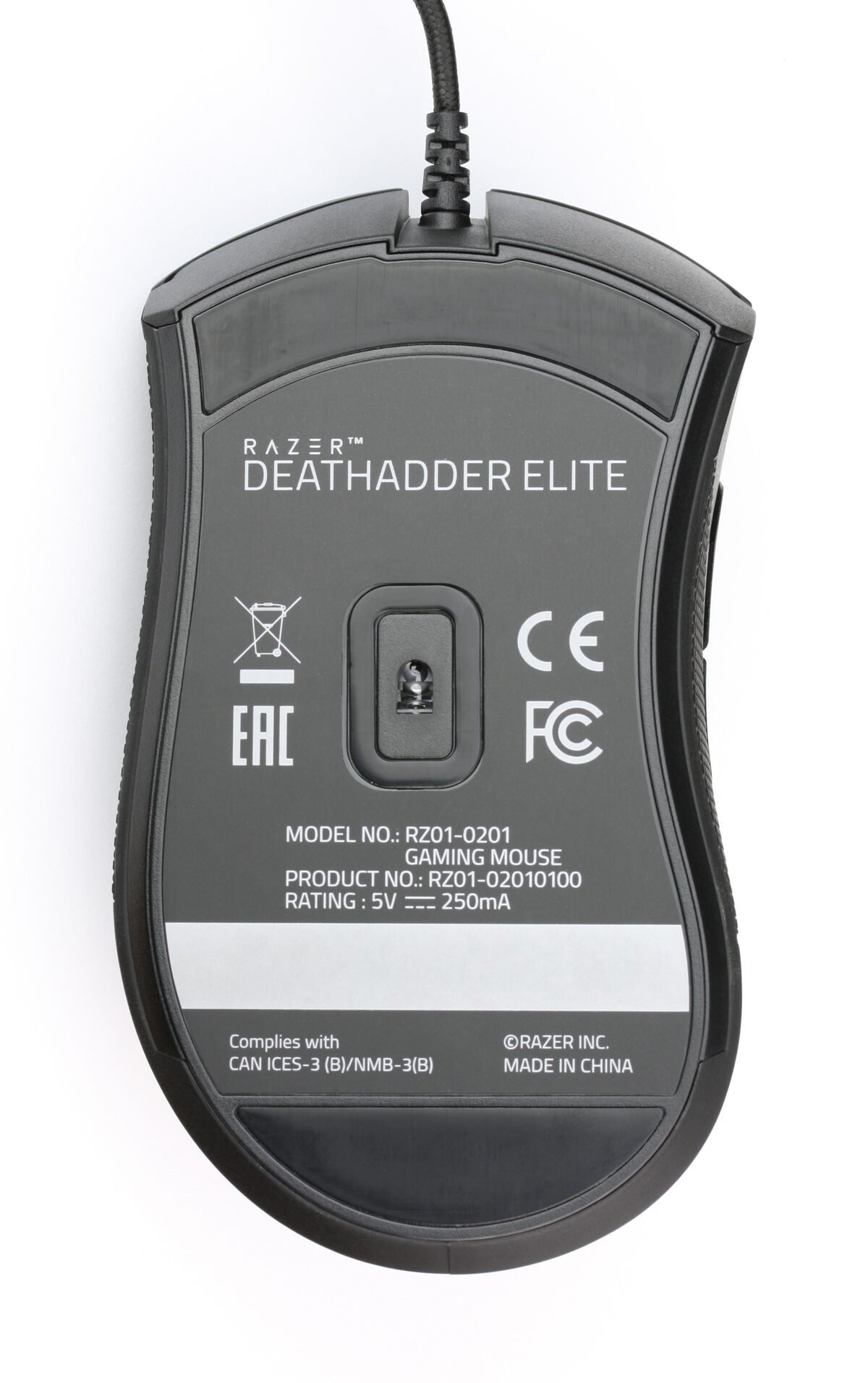
- No acceleration: gaming sensors move the cursor 1:1 with your hand. Many office mice add smoothing or acceleration, so the same hand movement can give different results at different speeds. That breaks muscle memory in shooters.
- Tracking speed (IPS): the Razer DeathAdder Essential is rated for 220 IPS, and premium sensors go past 650 IPS. Office mice usually do not publish this, and cheap sensors can skip when you swipe fast at low sensitivity.
- Lift-off distance: gaming mice stop tracking quickly when you lift and reposition the mouse, so the crosshair does not drift.
DPI guide coming soon: we are writing a full guide on what DPI is and the best DPI for Valorant, CS2 and BGMI. Until then, 800 DPI is a safe starting point for shooters and 1,200 to 1,600 DPI for everyday use.
Polling Rate: How Often the Mouse Reports Its Position
Swipe sideways on mobile to see every column.
| Polling rate | Reports per second | Gap between reports | Typical mouse |
|---|---|---|---|
|
125 Hz |
125 |
8 ms |
Normal office mouse |
|
250 Hz |
250 |
4 ms |
Some budget mice |
|
500 Hz |
500 |
2 ms |
Older gaming mice, battery-saving mode |
|
1,000 Hz |
1,000 |
1 ms |
Almost every gaming mouse |
|
4,000 Hz |
4,000 |
0.25 ms |
Premium wireless gaming mice |
|
8,000 Hz |
8,000 |
0.125 ms |
Top esports mice (needs a strong CPU) |
Going from 125 Hz to 1,000 Hz cuts up to 7 ms of delay between your hand and the game, and makes cursor movement smoother on 144 Hz and 165 Hz screens. Going from 1,000 Hz to 8,000 Hz saves less than 1 ms, uses more CPU and drains wireless batteries faster, so it only matters to very competitive players with high refresh rate monitors.
DIFFERENCE 2
Buttons, Switches and Software
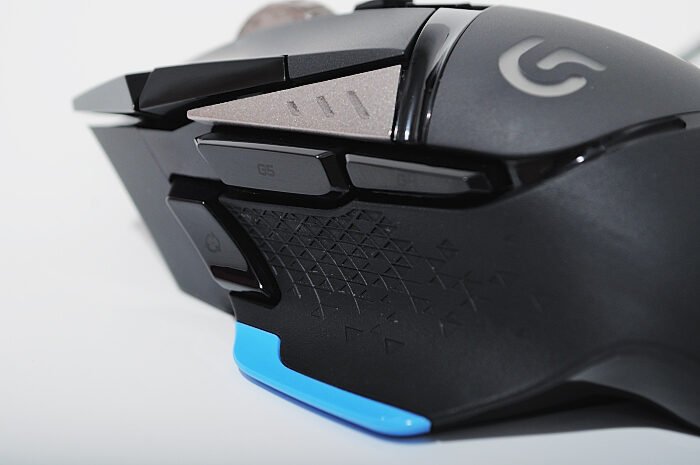
- Side buttons: almost every gaming mouse has two thumb buttons. Most office mice have none. Even outside games, back and forward in Chrome on your thumb is a real time saver.
- DPI button: switch from 800 DPI for aiming to 1,600 DPI for the desktop with one click.
- Switches: gaming mice use rated switches (Omron, Kailh, or optical switches). The DeathAdder Essential is rated for 10 million clicks, and Razer’s optical switches for up to 90 million. Cheap office mice rarely publish a rating, and double-clicking from worn switches is the most common reason they die.
- Software: Logitech G Hub and Razer Synapse let you set DPI steps, remap buttons, create macros and save profiles to the mouse’s onboard memory, so the settings work on any PC.
DIFFERENCE 3
Weight, Shape, Feet and Cable
Weight: a lighter mouse is easier to start, stop and lift, which helps in fast shooters. Entry gaming mice like the Logitech G102 weigh about 85 g. Lightweight models like the Cosmic Byte Firestorm come in around 67 g, and premium wireless mice like the G Pro X Superlight 2 are about 60 g. Office mice are usually 70 to 100 g, which is fine for office work.
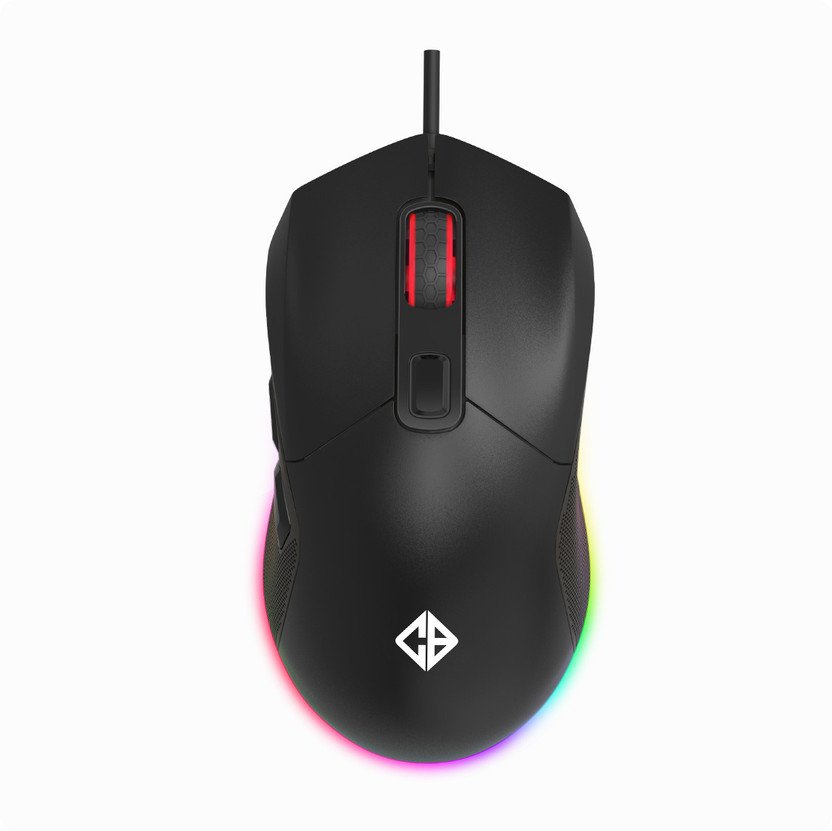
Shape: gaming mice come in right-handed ergonomic shapes (DeathAdder style) and ambidextrous shapes (G102 style), in different sizes. Office mice are usually small and symmetrical, which can feel cramped in larger hands after a few hours.
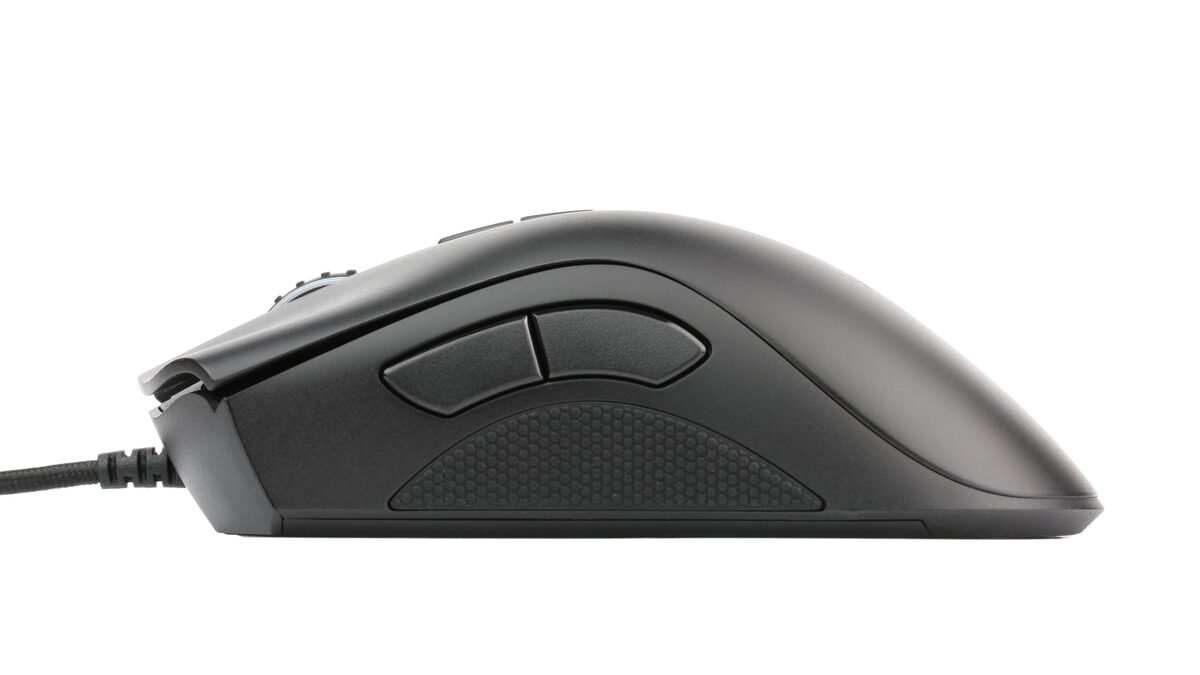
Feet and cable: gaming mice use larger PTFE feet for a smooth, consistent glide, and many now use soft braided or “paracord” style cables that do not drag. Office mice use small plastic feet and stiff rubber cables.
DIFFERENCE 4
Wireless: Gaming Wireless vs Normal Wireless
A normal wireless mouse (Logitech M185, M331 and similar) is designed for long battery life, so it reports slowly and can add noticeable delay. Gaming wireless mice use low-latency links (Logitech LIGHTSPEED, Razer HyperSpeed) that run at 1,000 Hz or more and feel the same as a wire.
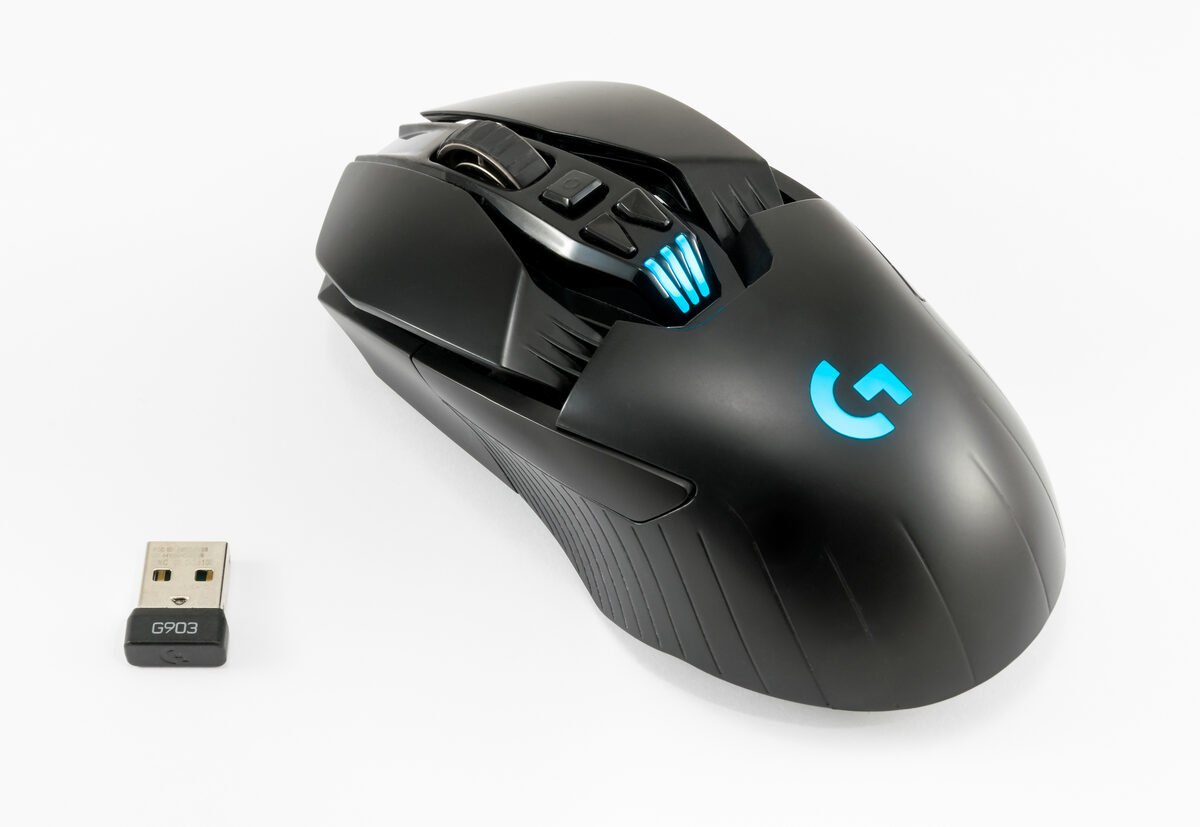
On a budget, buy wired. Under Rs 2,000, a wired gaming mouse gives you a better sensor and switches than a wireless one at the same price. Our full guide to wired vs wireless gaming mice is coming soon.
Real Models Compared: Normal vs Gaming Mouse
Swipe sideways on mobile to see every column.
| Spec | Logitech B100 (normal) | Logitech G102 Lightsync (entry gaming) | Razer DeathAdder Essential (entry gaming) | Logitech G Pro X Superlight 2 (premium) |
|---|---|---|---|---|
|
DPI |
800 (fixed) |
200 to 8,000 |
6,400 |
Up to 32,000 (44,000 on newer firmware) |
|
Polling rate |
Not listed (standard USB) |
1,000 Hz |
1,000 Hz |
Up to 8,000 Hz |
|
Tracking speed |
Not listed |
Not listed |
220 IPS |
500+ IPS |
|
Buttons |
3 |
6 |
5 |
5 |
|
Weight |
About 90 g |
About 85 g |
About 96 g |
About 60 g |
|
Connection |
Wired USB |
Wired USB |
Wired USB |
Wireless (LIGHTSPEED) |
|
Software |
No |
G Hub |
Synapse |
G Hub, onboard memory |
|
Price in India (approx.) |
Rs 300 to Rs 400 |
Rs 1,300 to Rs 1,700 |
Rs 1,500 to Rs 2,000 |
Rs 12,000 to Rs 14,000 |
Specs are from the makers’ official pages. Prices are approximate and change often, so check the latest price before you buy.
OUR EXPERIENCE
What We Noticed When Gaming With Both
We tested with multiplayer games like Valorant and CS2 and modern AAA single-player games, switching between a basic office mouse and entry gaming mice like the Logitech G102 on the same laptop and screen.
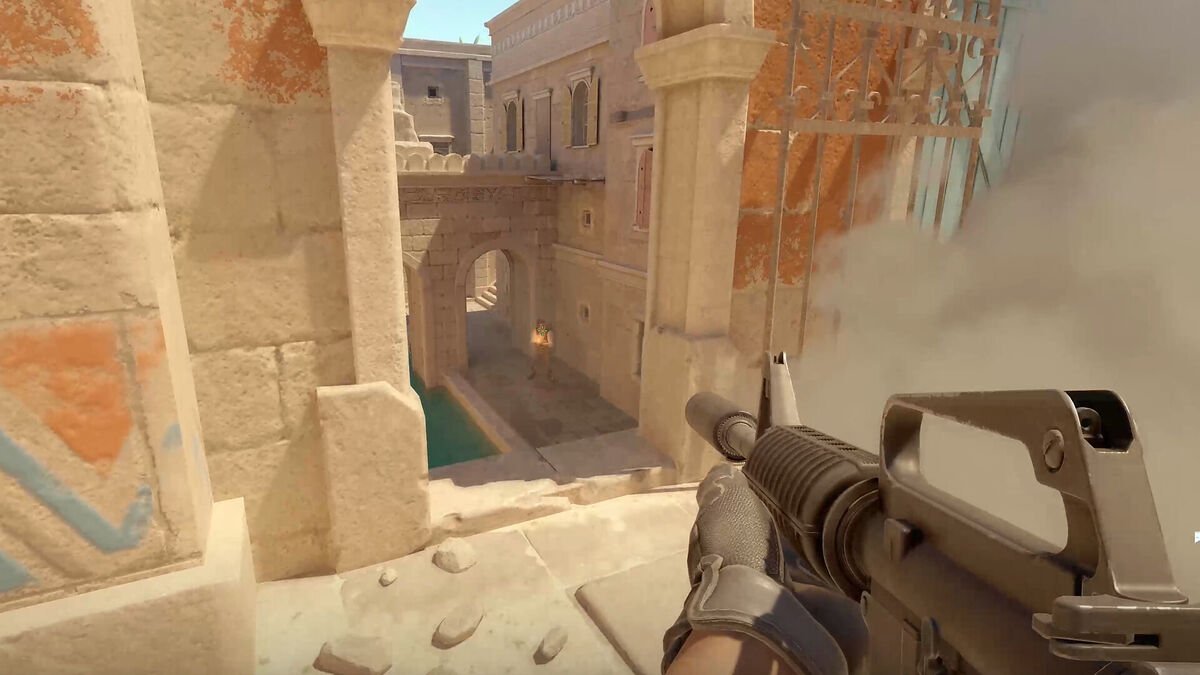
- Shooters (Valorant, CS2): the difference is clear. With the office mouse, small flicks felt slightly floaty and fast swipes sometimes did not land in the same place twice. With the gaming mouse at 800 DPI and 1,000 Hz, the crosshair stopped exactly where our hand stopped, and side buttons made push-to-talk and abilities easier.
- Single-player AAA games: the difference is smaller. Camera movement felt smoother with the gaming mouse, but you can enjoy a story game with a normal mouse.
- Strategy and MOBA games: extra side buttons and a lighter mouse help with long sessions, but the sensor matters less than in shooters.
- Office work and browsing: no real difference in speed. The side buttons (back and forward) were the only thing we missed when we went back to the office mouse.
Check your settings first. In Windows, turn off “Enhance pointer precision” for games (Settings, Bluetooth and devices, Mouse, Additional mouse settings, Pointer Options). It adds acceleration, even on a gaming mouse.
COMPARISON
Gaming Mouse vs Productivity Mouse (MX Master)
People often compare a gaming mouse with a productivity mouse like the Logitech MX Master 3S, which costs around Rs 9,000 to Rs 10,000 in India. They are built for different jobs:
- MX Master 3S: 8,000 DPI Darkfield sensor that works even on glass, a fast-scrolling metal wheel, a thumb wheel for horizontal scrolling, quiet clicks, multi-device Bluetooth, and a heavy 141 g body. Great for Excel, coding and editing. Not built for fast shooters.
- Gaming mouse: lighter, faster polling, no smoothing, better for aim. Less comfortable features for long spreadsheet sessions.
If you only work, a productivity mouse is the better spend. If you game even a few hours a week, a gaming mouse handles both jobs well, and costs far less.
When Is a Normal Mouse Enough?
- You use the PC or laptop only for office work, studies, browsing and video
- You play slow games (card games, puzzle games, turn-based strategy) or play only now and then
- You use a laptop on the go and want a small, cheap, silent mouse in the bag
- Your budget is under Rs 700 for the mouse
If none of these fit, and you play online games on a PC or gaming laptop, an entry gaming mouse is the cheapest upgrade that you will notice every day.
BUYING TIPS
How to Choose Your First Gaming Mouse
- Budget Rs 1,200 to Rs 2,000. This is the sweet spot. Below it, many “gaming” mice use weak sensors with RGB on top. Above it, gains are smaller unless you play competitively.
- Look for a 1,000 Hz polling rate and a named sensor (for example Logitech HERO or Mercury, PixArt PAW3311 or PMW3325). Ignore huge DPI numbers on unknown brands.
- Pick the shape for your grip: ergonomic right-hand for palm grip, smaller ambidextrous for claw or fingertip grip.
- Choose wired under Rs 2,000. Go wireless when you can spend Rs 3,500 or more for a proper gaming wireless link.
- Add a large cloth mouse pad. A Rs 300 to Rs 500 pad gives the sensor a consistent surface and helps more than you expect.
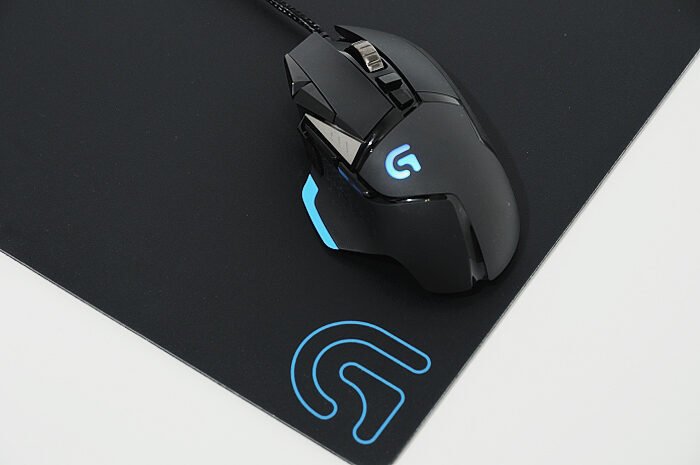
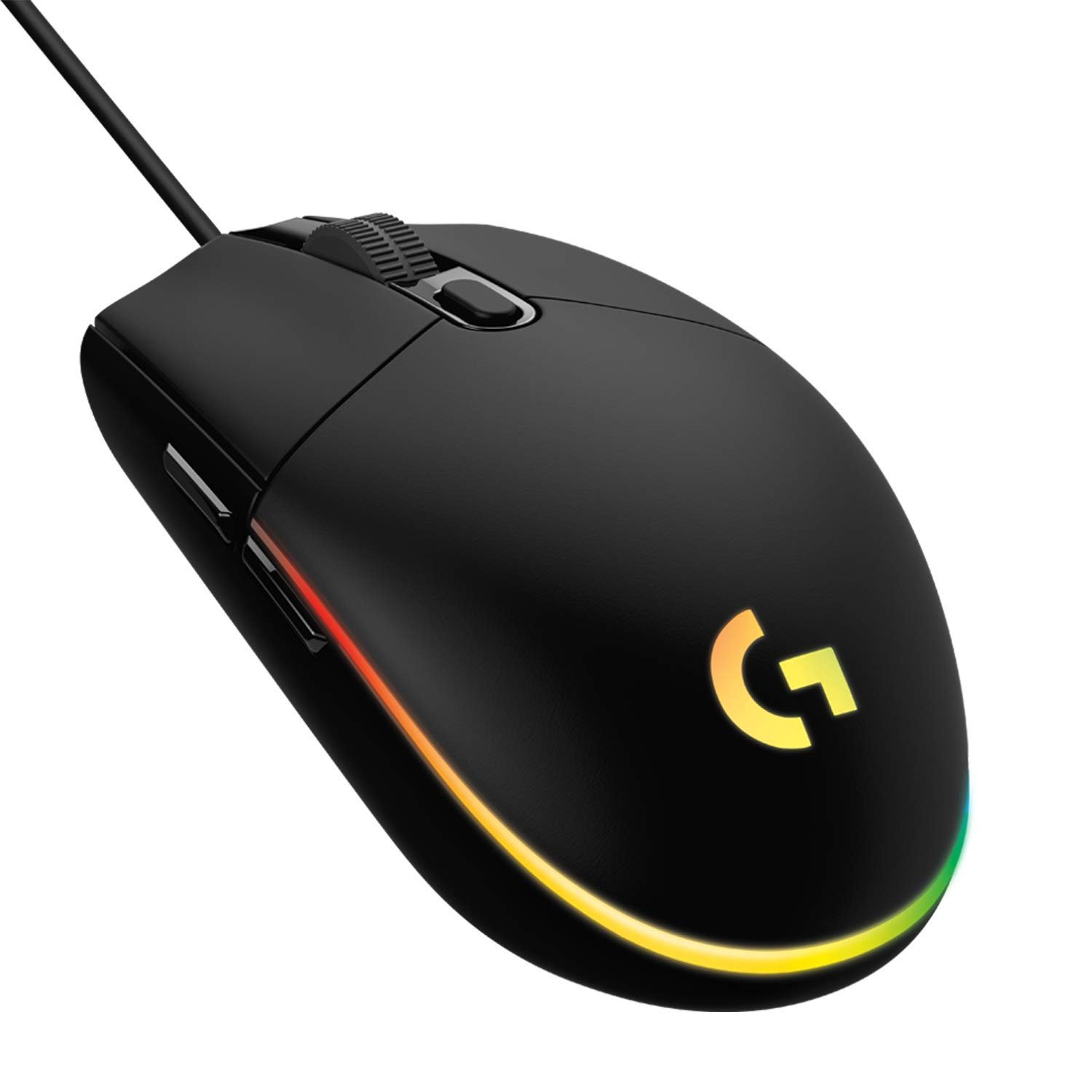
For our top picks with prices and buy links, see our list of the best gaming mouse under 2000 in India.
Frequently Asked Questions: Gaming Mouse vs Normal Mouse
Is a gaming mouse worth it over a normal mouse?
Yes, if you play shooters or other fast online games. A gaming mouse has a more accurate sensor with no acceleration, a 1,000 Hz polling rate instead of about 125 Hz, adjustable DPI and extra buttons. For office work and browsing only, a normal mouse is enough.
What is the main difference between a gaming mouse and a normal mouse?
The sensor and the polling rate. A gaming mouse tracks 1:1 at up to 8,000 to 44,000 DPI and reports its position 1,000 times a second (every 1 ms). A normal mouse usually has an 800 to 1,600 DPI sensor and reports about 125 times a second (every 8 ms).
Can I use a gaming mouse for normal use and office work?
Yes. A gaming mouse works like any other mouse in Windows and macOS, needs no software to run, and its side buttons are handy for back and forward in the browser. Set the DPI to about 1,200 to 1,600 for comfortable desktop use.
Does a gaming mouse really improve aim?
It does not give you skill, but it removes problems that hurt aim: acceleration, smoothing, skipping on fast swipes and 8 ms reporting gaps. In Valorant and CS2 the crosshair stops exactly where your hand stops, so practice builds consistent muscle memory.
Is higher DPI better for gaming?
No. Most competitive players use 400 to 1,600 DPI. What matters is a sensor that tracks accurately at the DPI you use. 800 DPI is a good starting point for shooters.
Can I play games with a normal mouse?
Yes, especially single-player, strategy and casual games. In fast shooters you will notice the difference, mainly in small flicks and quick turns.
How much should I spend on my first gaming mouse in India?
Around Rs 1,200 to Rs 2,000. Mice like the Logitech G102 and Razer DeathAdder Essential give a proper gaming sensor, 1,000 Hz polling and good switches at this price.
Is a gaming mouse good for a laptop?
Yes. It plugs into any USB port and works on gaming and normal laptops. A wired gaming mouse draws very little power, and it is far better than a touchpad for games.
Final Verdict: Gaming Mouse or Normal Mouse?
If you play any fast online game, buy a gaming mouse. The extra Rs 1,000 or so over an office mouse gets you a 1:1 sensor, 8 times faster reporting, adjustable DPI, side buttons and switches that last longer, and you will feel it in every match.
If your mouse is only for office work, college and browsing, keep your normal mouse, or spend on a productivity mouse for comfort.

Getmyelectronic is a buying guide for laptops, monitors, graphics cards and gaming PC accessories in India. The guides are written by Rajarajan, a gamer and PC hardware enthusiast. The aim is simple: help you pick the right product for your budget and your use, without the marketing noise